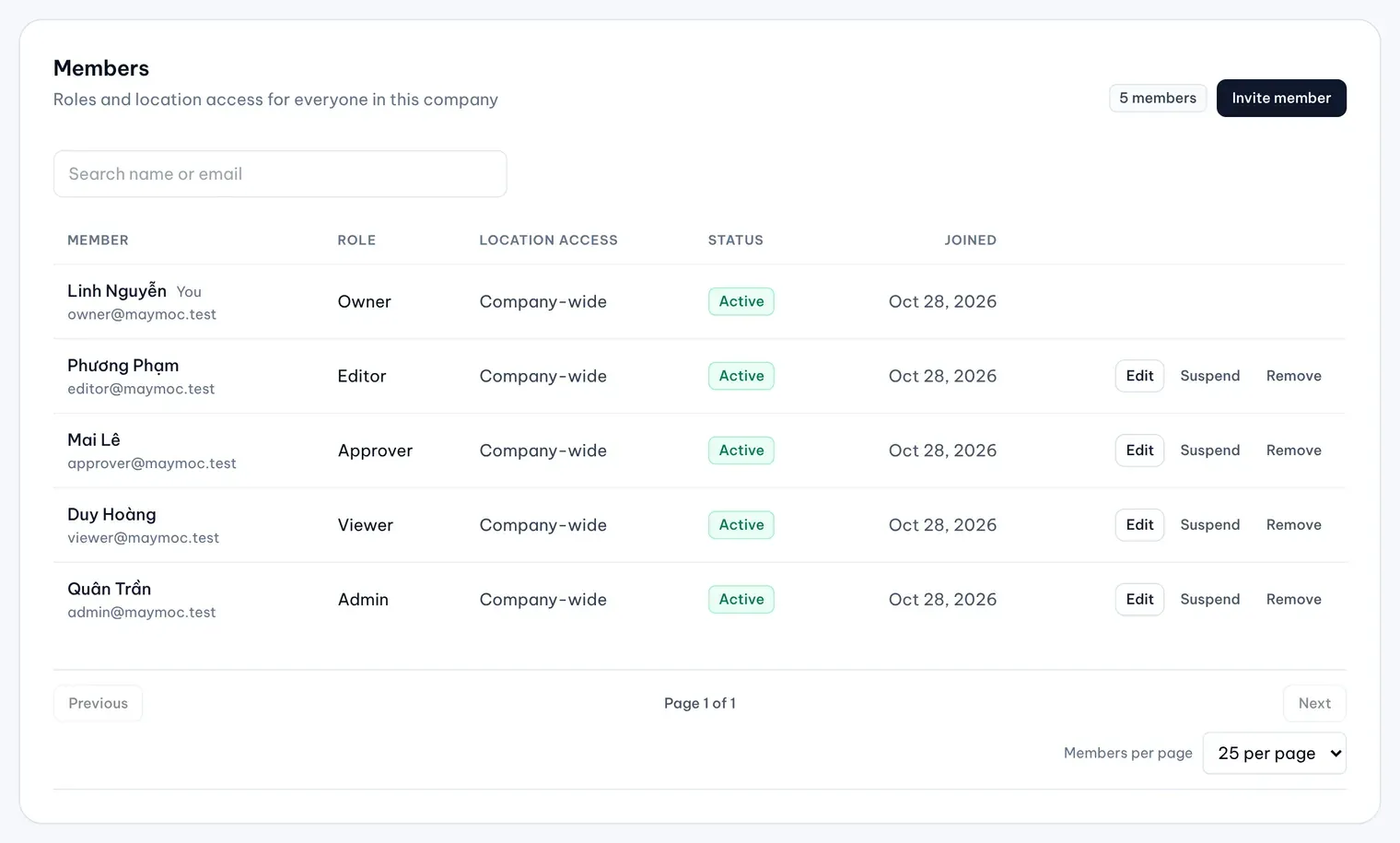
Everyone in your company has one of five roles: Owner, Admin, Approver, Editor or Viewer. The role decides what you can change and approve. Every role can read the Dashboard, Locations, Reviews, Media, Posts and Approvals.
The roles in short
- Owner can do everything in MX, including drafting review replies. Only an Owner can change another Owner or connect a different Google account.
- Admin manages the company: settings, members, the Google connection, Touchpoints, Location Finder and Protect. Admins approve changes and can edit a reply before approving it.
- Approver decides on changes and replies waiting in Approvals, and can suggest changes to a location.
- Editor suggests changes to locations and comments in Approvals, but can’t approve. Editors also write posts and upload media; Approvers and Viewers only read them.
- Viewer can read every page above but can’t suggest, comment on or approve changes.
Who can do what
| Task | Owner | Admin | Approver | Editor | Viewer |
|---|---|---|---|---|---|
| Read the Dashboard, Locations, Reviews and Approvals | Yes | Yes | Yes | Yes | Yes |
| Suggest a change to a location | Yes | Yes | Yes | Yes | No |
| Start a Bulk Update request | Yes | Yes | Yes | Yes | No |
| Comment in Approvals | Yes | Yes | Yes | Yes | No |
| Write posts and Content Plan plans, upload media | Yes | Yes | No | Yes | No |
| Approve or reject in Approvals | Yes | Yes | Yes | No | No |
| Edit a reply before approving it | Yes | Yes | No | No | No |
| Draft a reply to a review | Yes | No | No | No | No |
| Run a manual sync or refresh in Settings → Integrations (company-wide members) | Yes | Yes | Yes | Yes | Yes |
| Connect Google and choose locations | Yes | Yes | No | No | No |
| Manage members, company settings and Automations | Yes | Yes | No | No | No |
| Use Touchpoints, Location Finder and Protect | Yes | Yes | No | No | No |
Changes to a field locked by Protect need an Owner or Admin to approve them, even when an Approver could decide the rest of the request.
Every role can open Settings → Integrations and Settings → Automations to read them. Settings → Company is for Owners and Admins only.
Members limited to some locations
An Owner or Admin can limit an Approver, Editor or Viewer to chosen locations and groups. The member keeps the role, but only for those locations: they see only them, and they can act on a request only when every location in it is theirs. A member limited this way can’t use Bulk Update or run a manual sync.
Owners and Admins always see the whole company.