
Most MX pages can show all your locations, one location group or a single location. You choose with the same control on each of them, labeled Location or group (Location on a few pages).
Pick a location or group
-
At the top of the page, open Location or group. It reads All locations until you pick something.
-
Type part of a name or address in the search box.
-
Pick one entry. All locations is at the top, then the groups under Company groups and My groups, then Locations. Use Next for more.
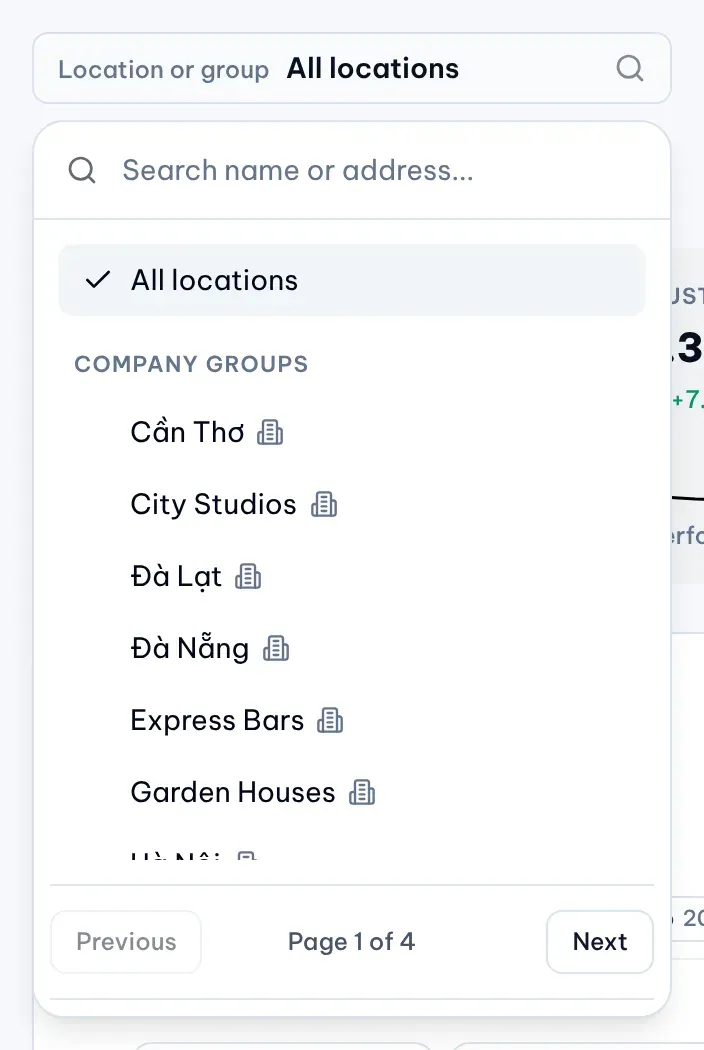
1: search boxIllustrative data
The page reloads for your choice. To go back, open the control again and pick All locations.
Where your choice follows you
When you move to another page from the sidebar, MX keeps your location or group on the pages that use it:
| Page | Keeps location or group | Keeps timeframe |
|---|---|---|
| Dashboard (Overview and Performance) | Yes | Yes |
| Reviews (Inbox and Analytics) | Yes | Yes |
| Locations | Yes | No |
| Posts and Content Plan | Yes | No |
| Approvals | Yes | No |
| Touchpoints Overview and Feedback Inbox (Owners and Admins) | Yes | Yes |
| Touchpoints QR codes (Owners and Admins) | Location only | No |
Media, Bulk Update, Settings and the Touchpoints Experience don’t take your location or group choice.
Company groups and my groups
Company groups are shared with the whole team; Owners and Admins manage them in Settings → Company. My groups are private groups you make for yourself; nobody else sees them.