
On Business, Owners and Admins invite people to the company themselves from Settings → Company. Each member gets one role. An Approver, Editor or Viewer can also be limited to some locations, so they see and act only on those.
Invite a member
-
Open Settings → Company. The Members card lists everyone in the company and every invite not yet accepted.
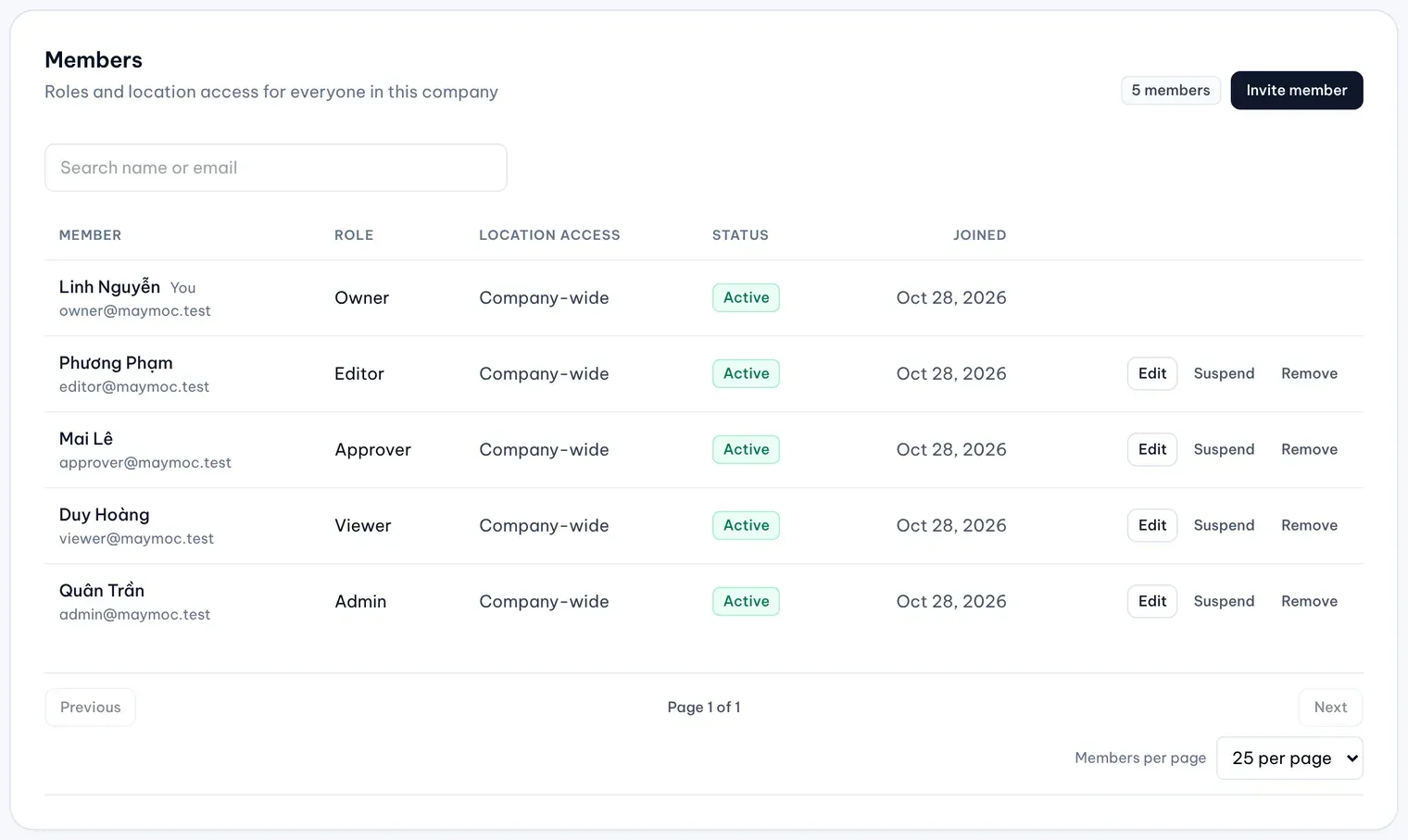
Illustrative data -
Select Invite member.
-
Type the person’s Email and pick a Role: Admin, Approver, Editor or Viewer. The role table in Getting started shows what each one can do.
-
Under Location access, keep All locations, or choose Only selected locations and groups and tick the company groups, the locations or both. A member limited to a group also gets locations added to that group later.
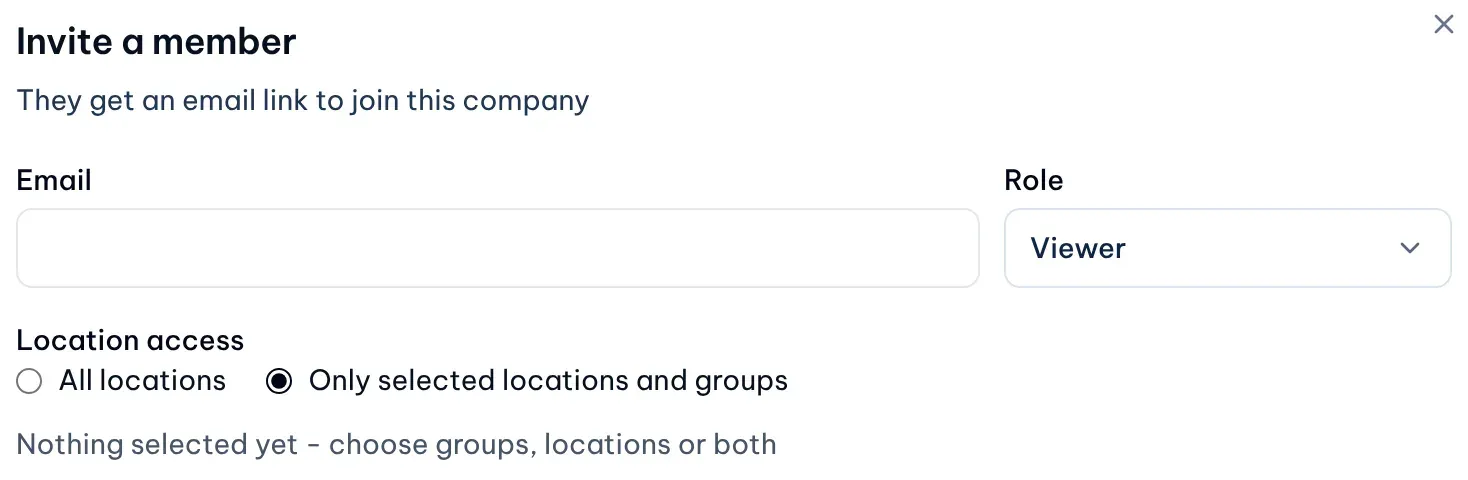
1: Location accessIllustrative data -
Select Send invite. The person gets an email with a link to join, and the invite appears in the list as Invite pending.
Admins always see every location, so Location access is fixed to All locations for them. Nobody is invited as an Owner.
The invite is valid for 7 days. The person opens the link in the email, which signs them in and asks them to choose a password. The link in the email works only for a short time: if it has stopped working, select Resend to send a new one. If the invite expires, its status reads Invite expired; select Resend to send a new link. To withdraw an invite, select Revoke and confirm.
Change a member’s role or locations
Changing roles, suspending and removing members works on every plan; inviting and limiting members to some locations needs Business.
-
On the member’s row, select Edit.
-
Pick a new Role, change Location access, or both.
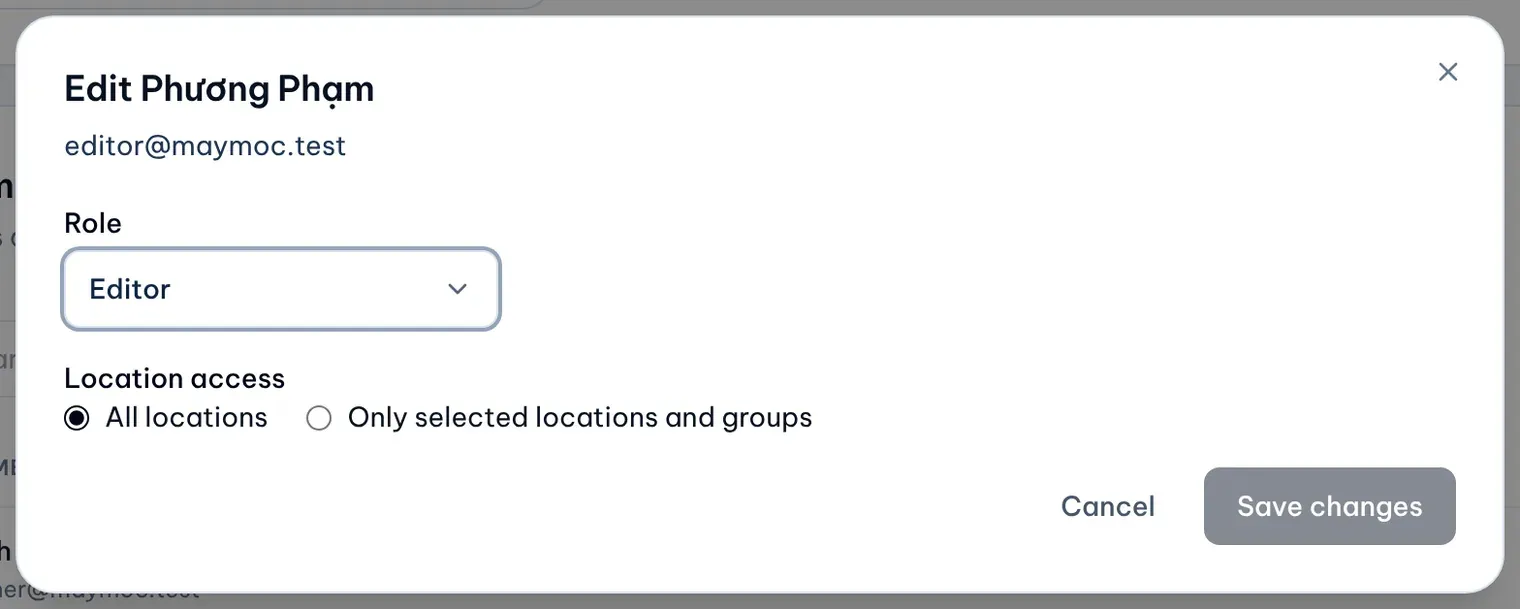
Illustrative data -
Select Save changes. If the change lets a member who was limited to some locations see every location, MX asks first: select Confirm and save.
Suspend or remove a member
- Suspend: the member can’t sign in to this company until you select Reactivate. Their role and location access are kept.
- Remove: the member loses access. To bring them back, invite them again from the start.
Both ask for a second click to confirm.