
When you open a review in the Inbox, MX shows the whole review with its location and reply status. Once MX has analysed it, an AI insight card adds what the review is about and what you could do next.
Read the review
-
In Reviews → Inbox, select a review in the list.
-
Read the header: the reviewer’s name, the stars, the date and how long ago it was written, the reply status and the location. When the location name is a link, select it to open the location’s profile.

1: reply status. 2: locationIllustrative data -
Read the full text under Review. A rating without text shows Rating-only review. Photos the reviewer added appear below the text.
-
If the review already has a reply on Google, it appears under Owner reply with its time. In that case there is no reply box.
Read the AI insight
The AI insight card starts with the review’s overall sentiment. Under it:
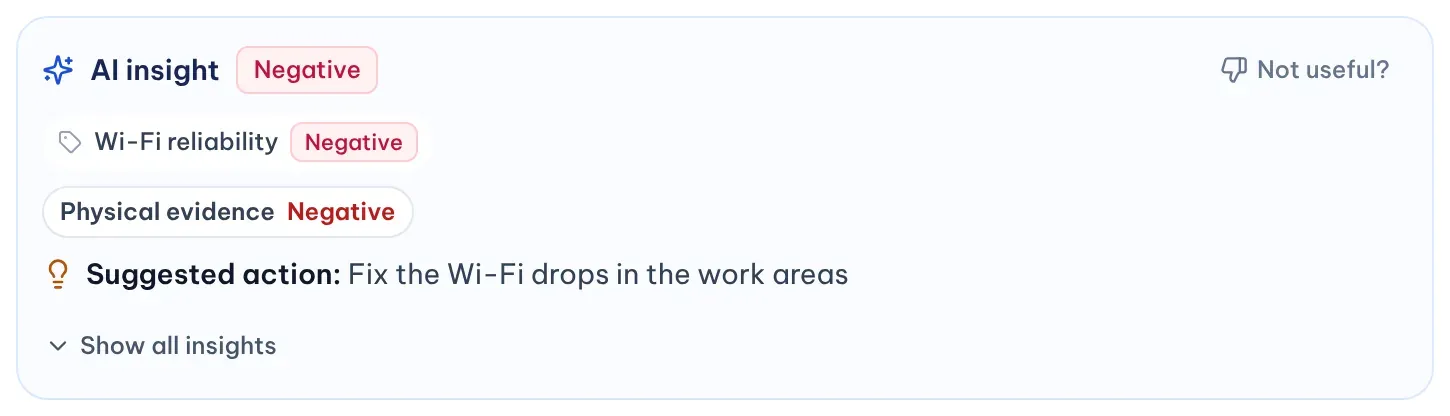
- Topics: short labels for what the reviewer talks about, such as wait time or friendly staff, each with its own sentiment.
- 7Ps chips: the experience areas the review touches, up to three with a count of the rest. The 7Ps are product, price, place, promotion, people, process and physical evidence; each area the review mentions shows whether it reads positive, neutral or negative.
- Suggested action: one practical next step.
When the card has more detail, select Show all insights to see every area with its evidence under Customer signal, the reasoning behind the suggestion under Why this angle and any Additional actions with their priority. Show less folds it again.
A suggested action is a starting point for your team. MX doesn’t change anything at the location because of it.
Flag an insight that looks wrong
-
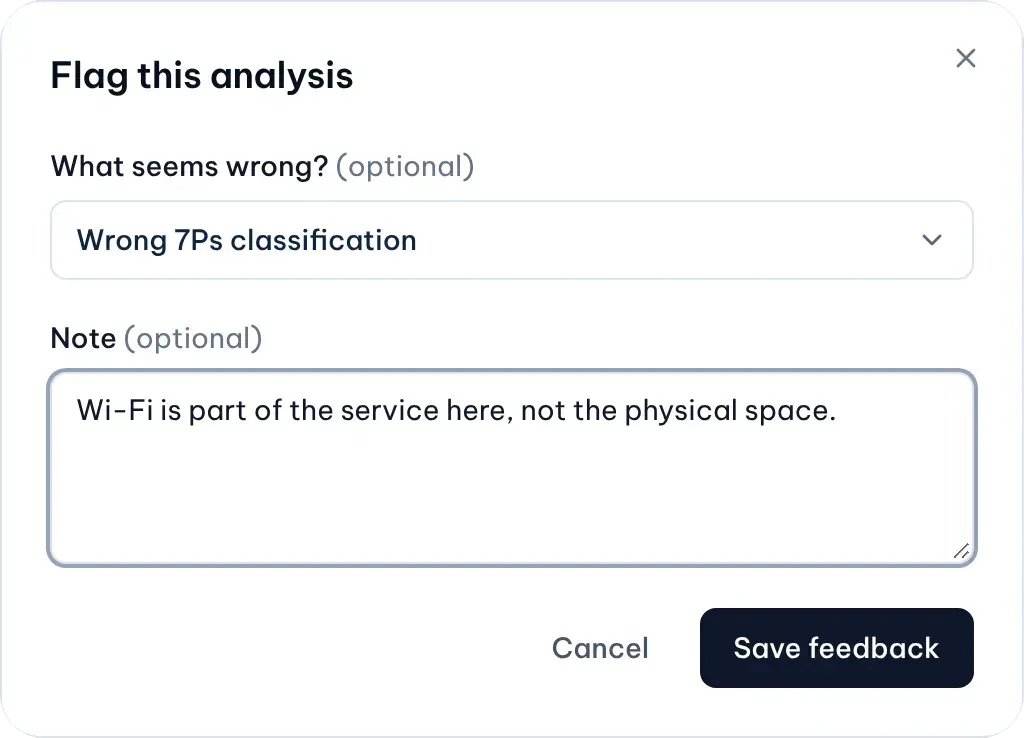
Select Not useful? at the top of the AI insight card.
-
Optionally pick what seems wrong, such as Wrong sentiment or Wrong 7Ps classification, and add a short note.
Illustrative data -
Select Save feedback. The card then shows Feedback saved.
Your feedback is kept for internal quality review. It doesn’t re-run the analysis or send anything to Google.