
ArticleReviews
Handling negative Google reviews the same way at every location
A practical routine for chains: sort negative reviews, agree who answers and how, take the problem offline, fix it at the branch and spot patterns
One location with a one-star review is a bad afternoon. Twenty locations with a few negative reviews each is a routine you either have or don’t. Without one, the reply depends on who saw the review first: one manager apologises warmly, another argues with the customer, a third never replies at all. Customers reading your profile see all three.
This article is a routine for owners and operations managers who want every branch to handle negative reviews the same way, without making head office write every word.
Sort before you answer
Not every negative review needs the same response. Before anyone writes a reply, put each one in one of four groups:
- A service failure. Cold food, a long wait, a rude moment at the counter. Reply, apologise, and fix it at the branch.
- A misunderstanding. The customer expected something you don’t offer, or misread a policy. Reply politely with the facts, once, without arguing.
- A serious complaint. Safety, health, legal issues or discrimination. Escalate to head office before any reply goes out. These need careful wording, and sometimes no public detail at all.
- A review that breaks Google’s rules. Spam, a review about the wrong business, a conflict of interest. Google’s own guidance is clear: only reviews that break its policies are eligible for removal, and you should not report a review just because you disagree with it. See Report inappropriate reviews on your Business Profile and Google’s prohibited and restricted content policy.
Sorting takes seconds and stops a serious complaint from getting a cheerful template.
Decide who answers
Your reply appears on Google as the business, not as a person (Manage customer reviews). So the voice should be the company’s, even when the facts come from the branch.
A setup that works for many chains:
- The branch manager supplies the facts. What happened, what has already been done, who the customer can contact.
- One person or a small team writes the reply in the company voice.
- Someone with authority approves it before it goes public, especially for the serious-complaint group.
Write down who does each step and by when. “Every negative review gets a reply within two working days” is easier to keep than “reply when you can”.
Tone: what a good reply does
Google’s tips to write better review replies give a short list worth adopting as house rules: be professional and polite, keep it short and simple, apologise when appropriate and acknowledge mistakes, never share a reviewer’s private information or make personal attacks, and keep replies conversational rather than promotional.
In practice, a good reply to a negative review:
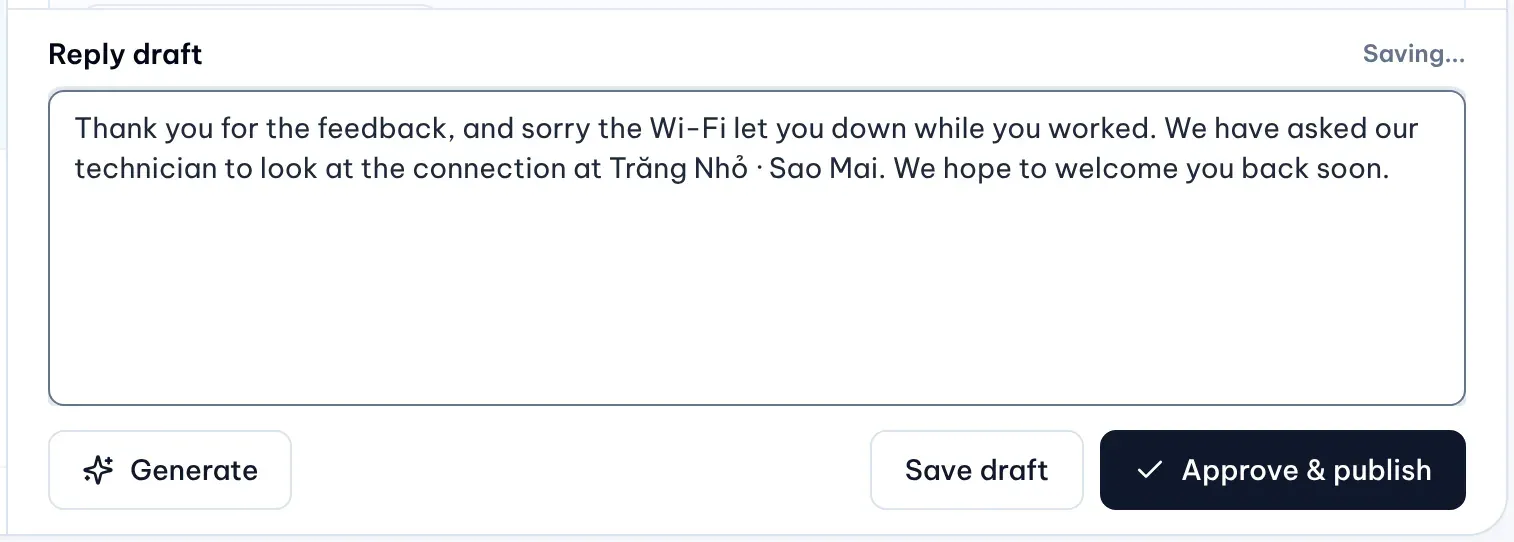
- names the specific problem, so it doesn’t read like a template;
- apologises once, without excuses;
- says what changed, if something did (“we have asked our technician to check the Wi-Fi”);
- gives one way to continue the conversation privately;
- leaves out staff names, order numbers and anything the customer did not make public.
Take it offline, without asking for a better rating
A public thread is a poor place to settle a complaint. Invite the customer to contact the branch or a named channel, such as a hotline or an email address, and make sure someone answers when they do.
Two things to avoid. Don’t ask the customer to remove or change the review in your reply. And don’t offer a discount or a free item in exchange: Google prohibits incentives for posting, changing or removing reviews. If the customer is happy with how you resolved it, they can still edit their review; Google notifies reviewers when you reply.
Follow up at the branch
The reply is the visible half. The other half is making sure the problem doesn’t happen again at that location:
- The branch manager confirms what happened and what was done.
- If the cause is local (one staff member, one broken machine), fix it there.
- Record the outcome where head office can see it, even if it is one line in a shared sheet.
Spot patterns across branches
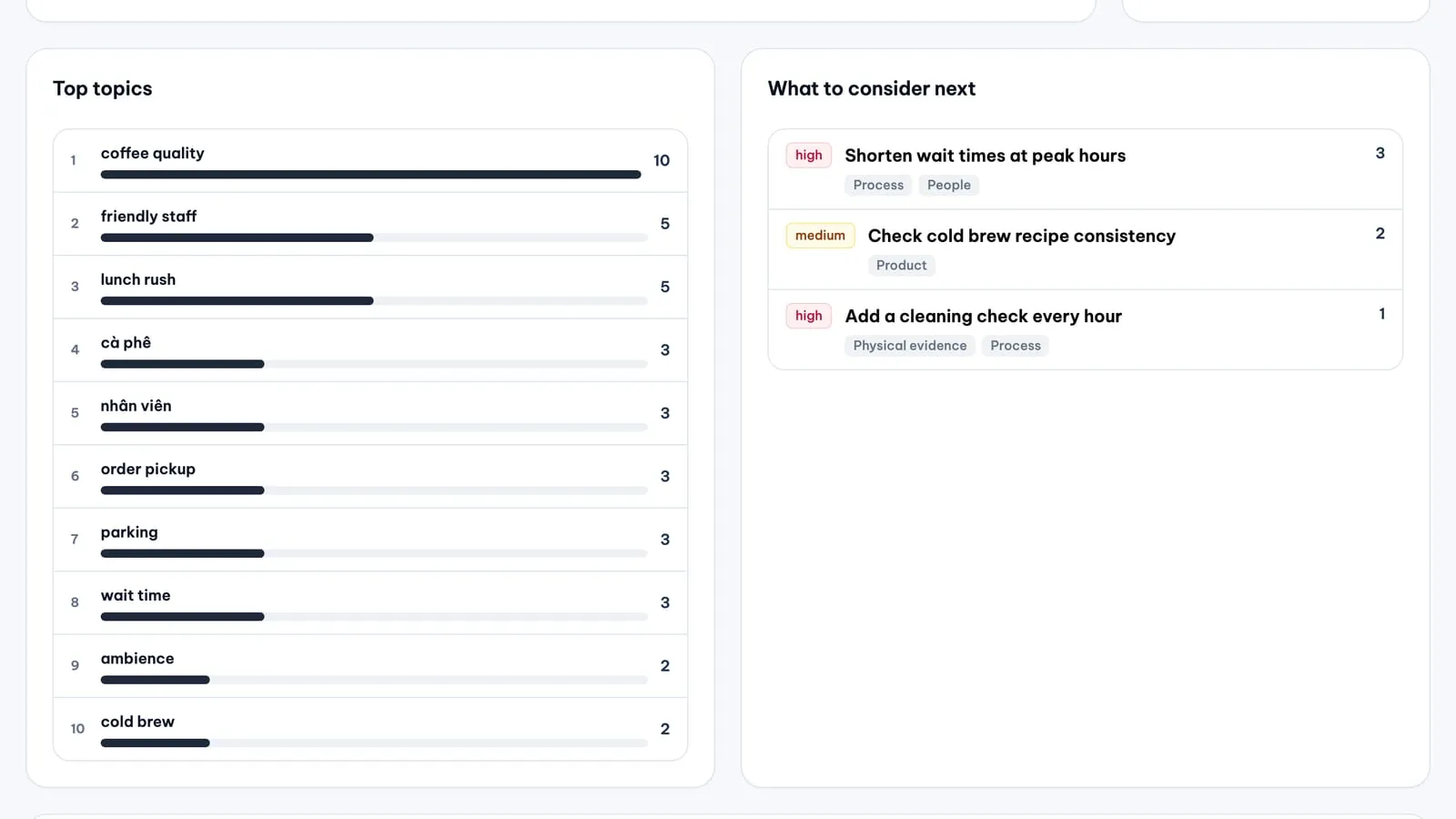
One review about slow service is an incident. The same complaint at five branches in a month is a process problem, and the fix belongs to operations, not to the branch.
Once a week or once a month, look at negative reviews across all locations together and ask:
- Which topics come up at more than one branch?
- Which branch has more low ratings than its usual level?
- Did complaints about a topic drop after a fix?
Keep asking every customer
The temptation after a bad week is to ask only happy customers for reviews. Don’t. Google’s content policy forbids businesses to “discourage or prohibit negative reviews, or selectively solicit positive reviews from customers”. Ask every customer the same way, and let your replies show how you deal with the bad ones.
Where MX helps
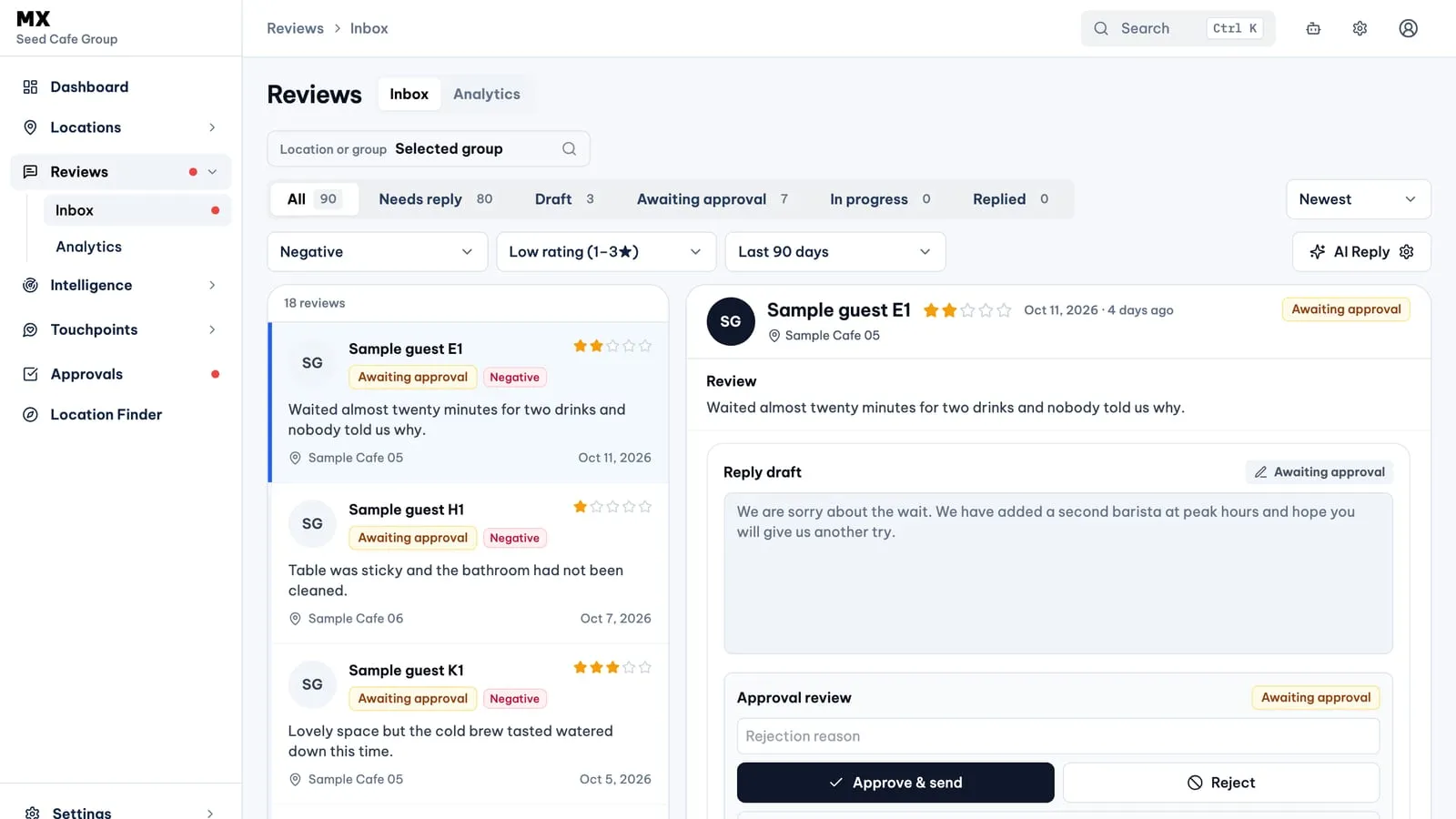
- One list for every location. The Review Inbox brings reviews from every location together, with filters for low ratings (1 to 3 stars) or negative sentiment, a location or group, and a date range.
- Approval before publishing. Only the company owner drafts replies, with or without AI. A submitted reply waits in Approvals until an owner, admin or approver decides; editors can read it and comment. See Approve review replies before they publish.
- Careful AI drafts. AI drafts are instructed to leave out links, discounts and unsupported promises, and to stay cautious with serious complaints about safety, legal or medical issues, or discrimination. Read every draft for a negative review before you approve it.
- Patterns across branches. On Pro and Business, Review Analytics shows sentiment, the 7Ps experience areas, topics and suggested actions for any location, group or timeframe.
- No review gating. Touchpoints offers the Google review option to every customer, whatever their rating. Private feedback is always available as well, and reaches your team in the Feedback Inbox.
Current limits
- Only the company owner drafts review replies in MX. Other roles approve, comment or read.
- Review Analytics, including topics and suggested actions, is on Pro and Business.
- Automatic reply rules choose reviews by star rating only (all reviews or 4 to 5 stars), not by topic.
Further reading
- Knowledge baseFind reviews in the Inbox
- Knowledge baseSend a reply and follow it to Google
- Knowledge baseRead Review Analytics: sentiment, topics, 7Ps and actions
- BlogReview Inbox - one list for every location's Google reviews
- BlogApprove review replies before they publish
- BlogReview Analytics - sentiment, experience areas and topics from your reviews