
GuideReviews
Review Analytics - sentiment, experience areas and topics from your reviews
See what customers praise and complain about across your locations without reading every review: sentiment, experience areas, topics and next steps
Table of contents
The problem
Reviews tell you what customers think of each location, but only if someone reads them all. With many locations and a steady flow of reviews, an owner or manager sees the star average and a few recent comments. A slow service window at one branch or a product that keeps disappointing customers stays hidden until it shows up in the rating.
Doing it by hand
Turning reviews into something a team can act on usually means copying them into a spreadsheet, tagging each one by topic and mood, and counting the results once a month. It takes hours, different people tag the same review differently, and the picture is already out of date by the time it reaches a meeting.
What changes with Review Analytics
Review Analytics reads the Google reviews already in your Review Inbox with AI. For each review MX records the overall sentiment, the experience areas it touches and its main topics, then adds the results up for the location or group you pick and the time period you choose.
What you get
- The pattern, not just the average. See which parts of the experience customers praise and which they complain about.
- A shorter path to action. Suggested actions point your team at the issues that come up most.
- The reviews behind every number. Sentiment rows open the matching reviews in the Review Inbox, so you can check the detail before you act.
How it works in MX
Open Reviews → Analytics in the sidebar, or the Analytics tab next to Inbox. Pick one location or one location group, and a period: the last 30 days, last month or the last 90 days.
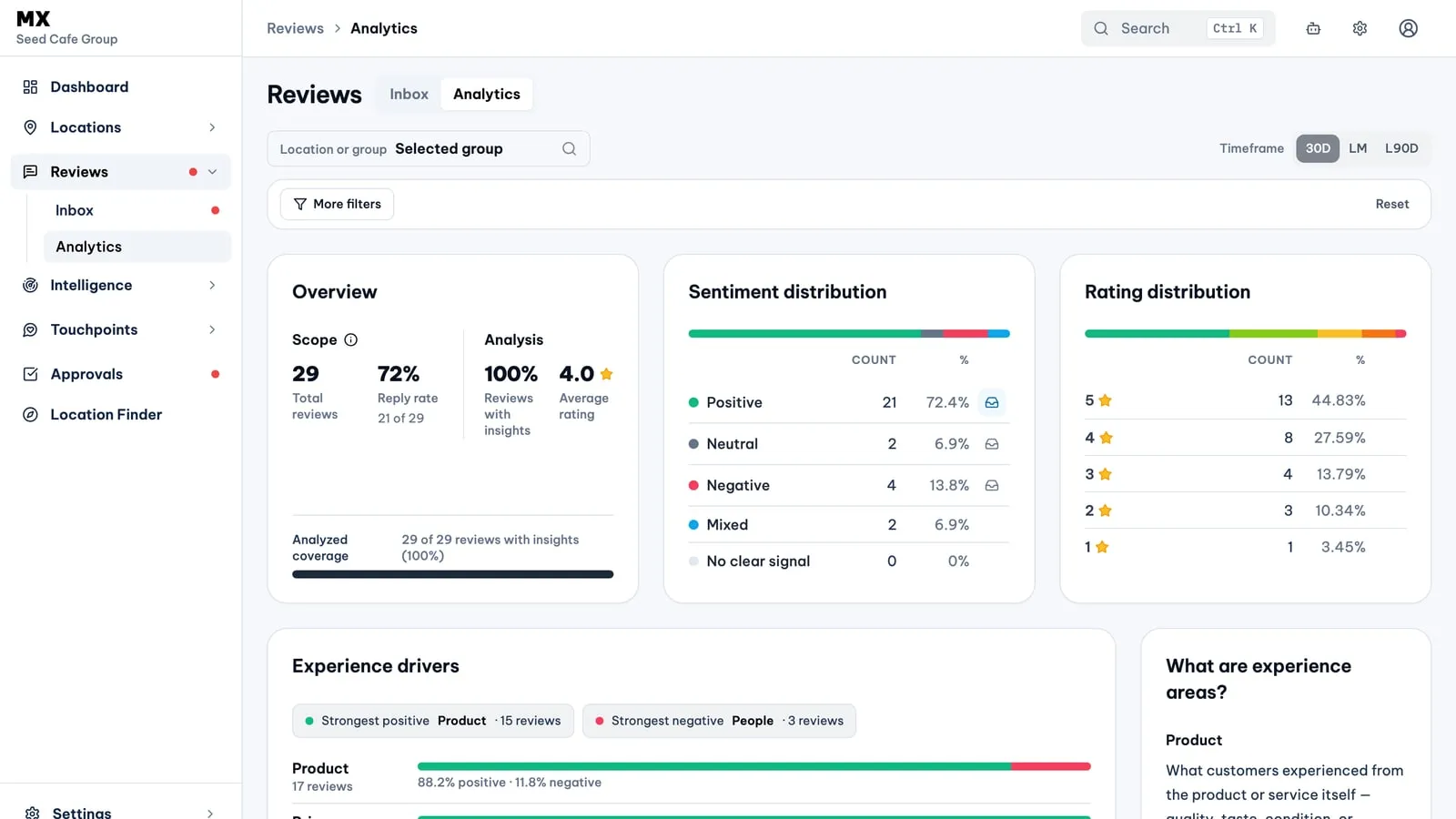
- Overview. Total reviews, reply rate, average rating and the share of reviews that already have insights, so you can see how complete the analysis is.
- Sentiment and rating distribution. How many reviews read positive, neutral, negative, mixed or with no clear signal, next to the star breakdown. The positive, neutral and negative rows open the matching reviews in the Inbox.
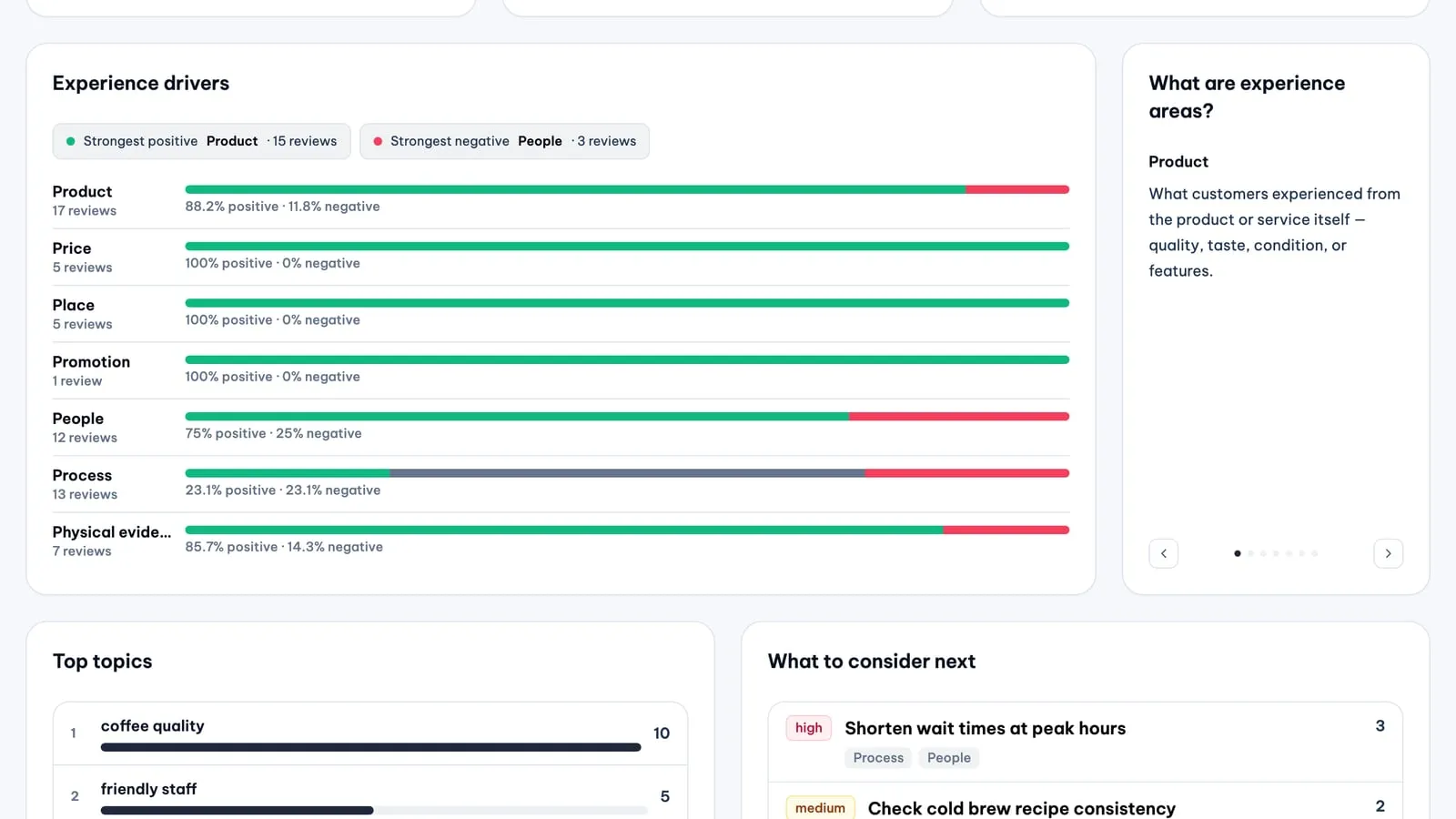
- Experience drivers. The 7Ps experience areas: product, price, place, promotion, people, process and physical evidence. Each shows how many reviews mention it and the positive and negative share, with the strongest positive and strongest negative area called out. A short explainer describes each area.
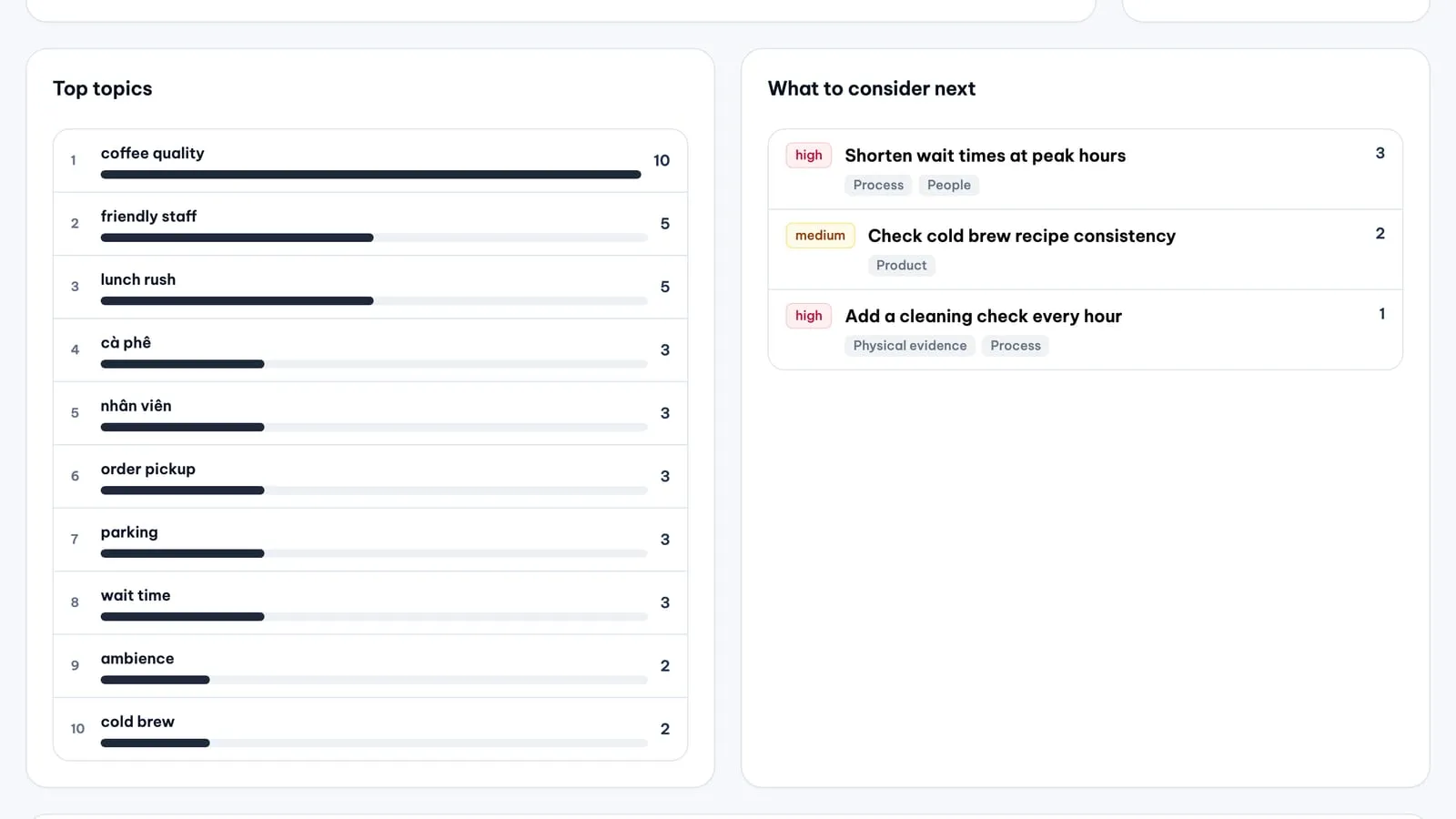
- Top topics. Up to ten topics customers mention most, in the words of the analysis, such as a drink, wait times or parking.
- What to consider next. Up to ten suggested actions with a priority and the experience areas they relate to. They are starting points for your team; MX does not act on them.
More filters narrow the page by rating, overall sentiment, experience area and the sentiment within it, review language (English, Vietnamese or Chinese) and suggested action.
MX analyses new reviews in the background in batches every few hours, so a new review can take up to about half a day to show insights. Reviews from the last six months are analysed. A review’s overall sentiment follows its text when the text is clear, and its star rating when the text says little. Until the first reviews are analysed the page says so instead of showing empty charts.
Who can use it
Every member of the company can open Review Analytics, from viewer to owner. It is available on plans that include it; on other plans the page shows a short notice instead of the cards.
Current limits
- Only Google Business Profile reviews are analysed.
- The page shows one location or one group at a time; there is no side-by-side comparison.
- There is no export, trend chart over time, competitor benchmark or written summary.
- Insights come from AI reading the review text; sarcasm, very short reviews and mixed languages are the hardest cases.
- Suggested actions never post replies or change your Business Profile.