
ArticlePlatform
Build trust - invite every customer to speak and answer every review
How Touchpoints, the Review Inbox and AI replies in MX invite more customers to share their experience and get every review answered on time
This post is available in English only
At the location, the experience happens, and most of it goes unsaid. Few customers are asked for a review. A one-star review sits without a reply, and every customer who comes after reads it. A complaint made in person has no owner and turns into a public review a week later.
Build Trust is the part of MapLovin for this stage of the journey: more customers invited to share their experience, every review answered on time, and every private complaint sent to the team that can fix it. It brings together three MX areas.
Touchpoints: invite every customer
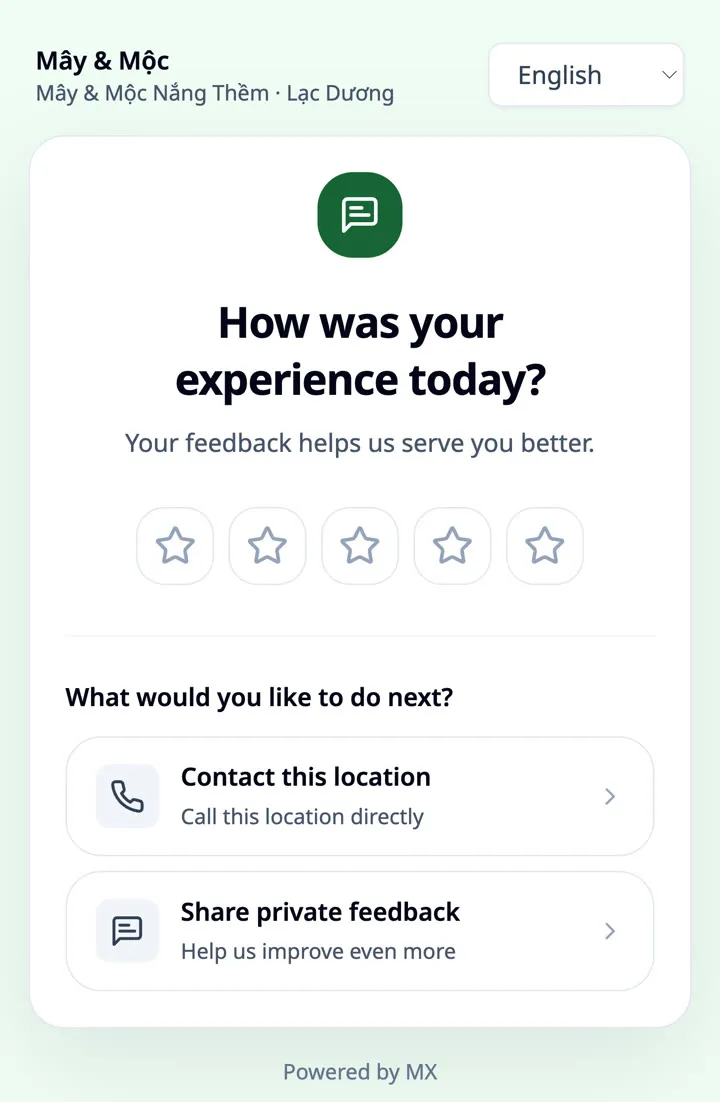
Every location gets a QR code that opens a feedback page in English, Vietnamese or Chinese. Customers rate their visit first, then choose what to do next: leave a Google review, call, message on Zalo or WhatsApp, or send private feedback. You can add up to ten questions of your own.
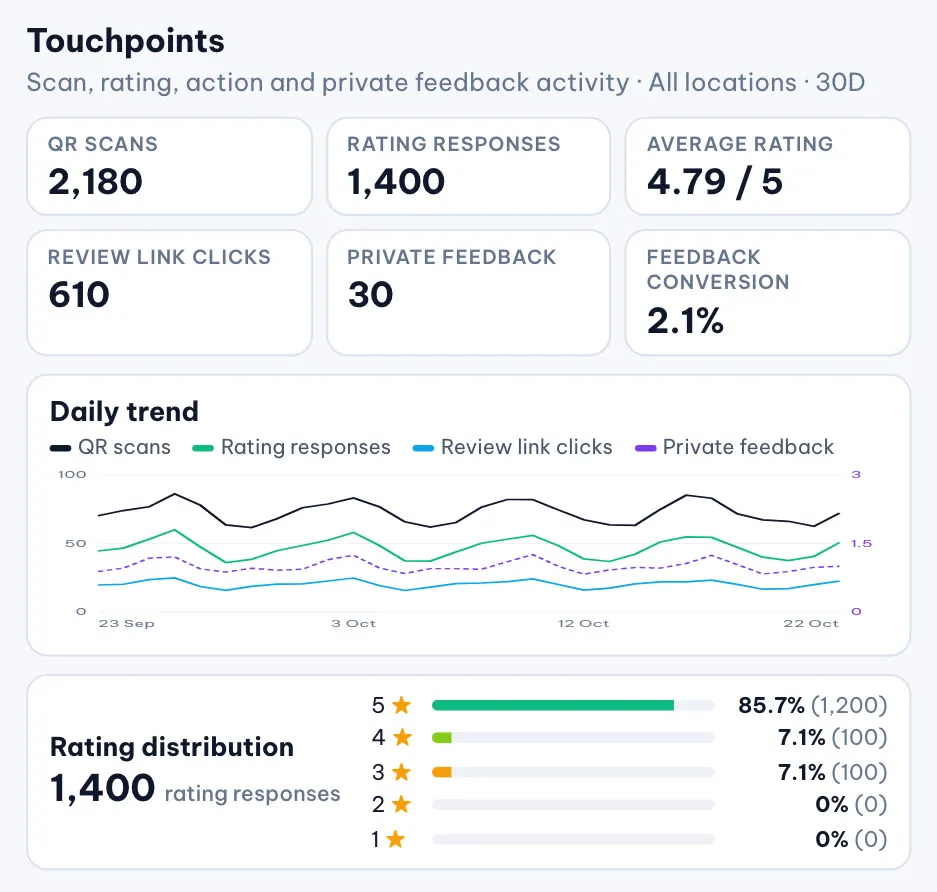
There is no review gating. The Google review option is offered to every customer, whatever their rating. Private feedback is a route, not a filter: it is always available, it lands in the Feedback Inbox with the location attached, and it is never published to Google Maps. The Feedback Inbox marks each item New, Read or Archived and filters by location, group, QR code, rating and date. The Touchpoints overview shows scans, what customers chose, the rating distribution and the daily trend for 7, 30 or 90 days.
Touchpoints is switched on workspace by workspace during rollout.
Review Inbox: every review in one place
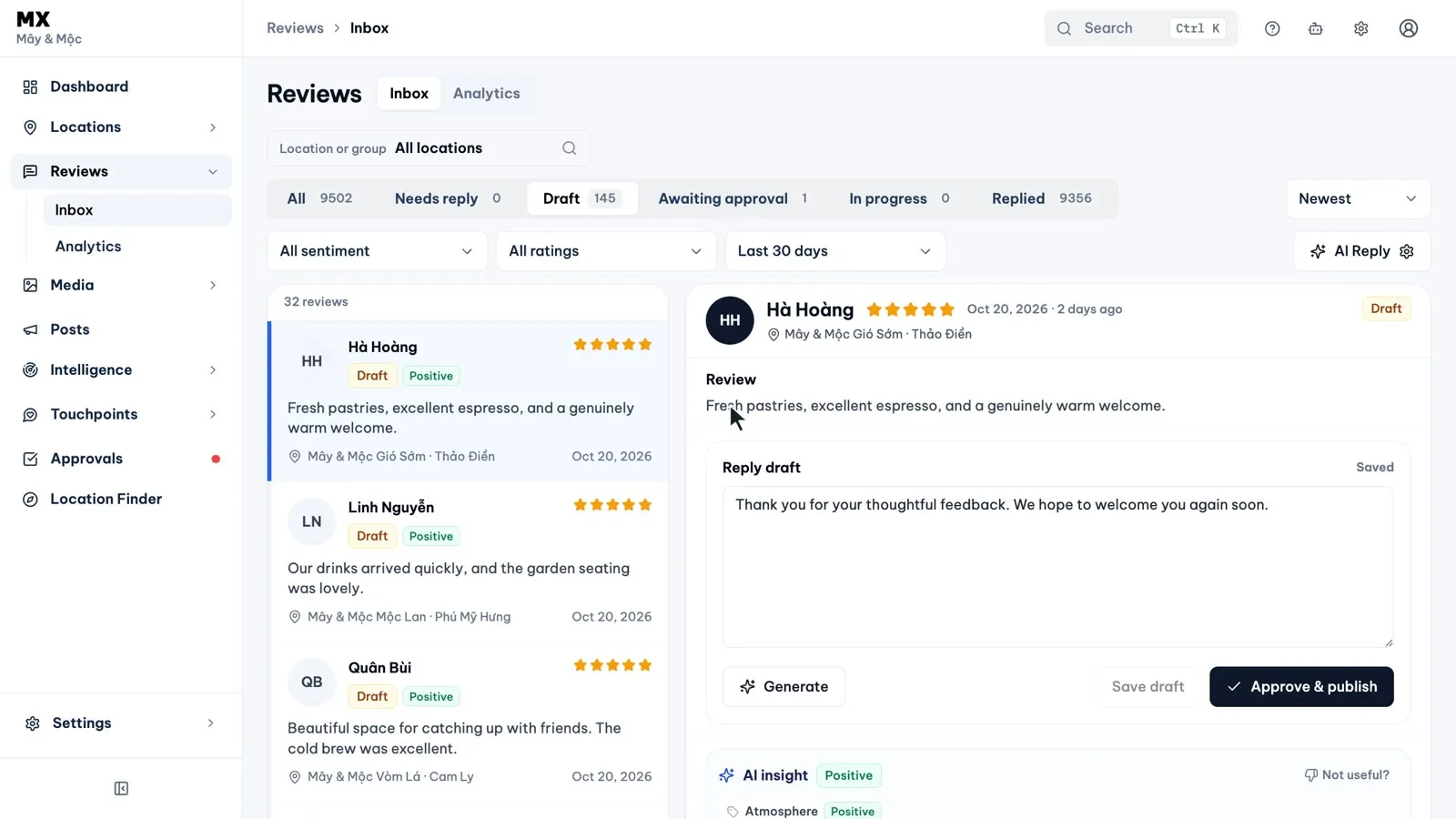
Reviews from every location arrive in one inbox, each with its rating, status and location. Tabs split the list by reply status (Needs reply, Draft, Awaiting approval, In progress, Replied and Failed), and filters narrow it to a location or group, a rating, a sentiment or a date range.
The Review Inbox guide walks through the list, and Why one inbox for every location changes how a team handles reviews explains why it matters.
AI replies, under your rules
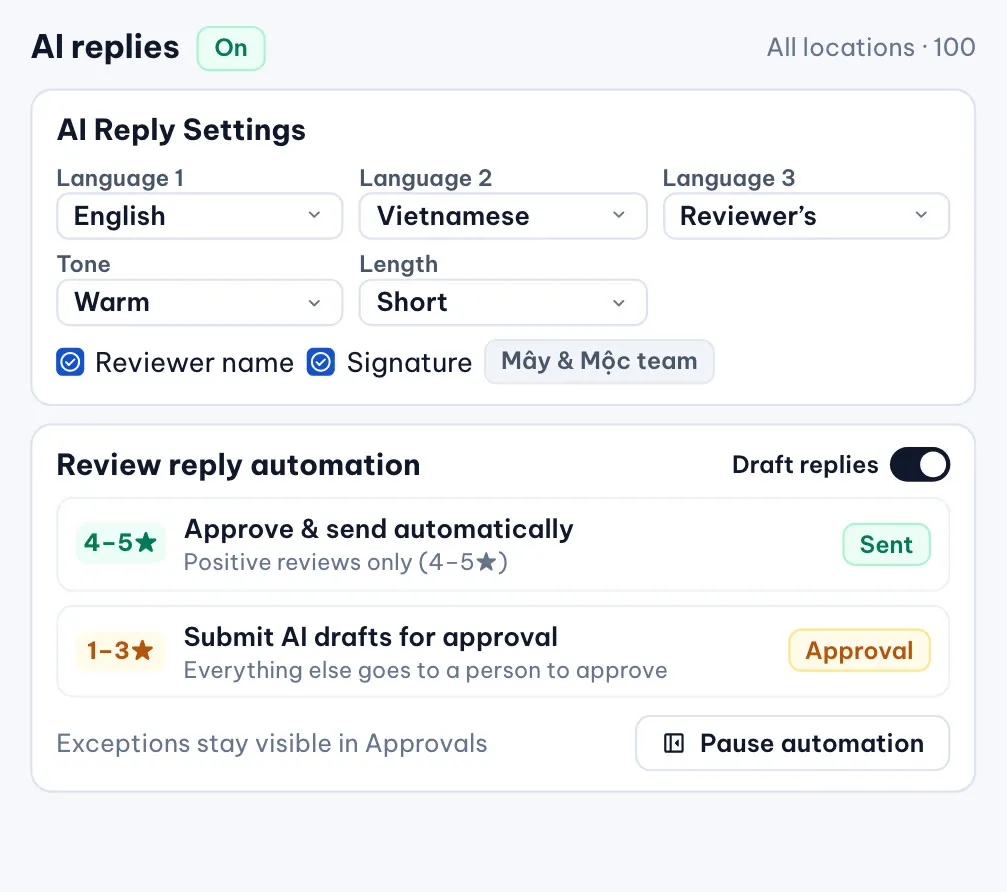
AI drafts each reply from the review and your AI Reply settings: the reply languages (English, Vietnamese and the reviewer’s own language), a warm or professional tone, short or long, and whether to use the reviewer’s name, your business name and a signature. Drafts are instructed to leave out links, discounts and promises you have not made, and to stay careful with serious complaints.
What happens to a draft is up to you. A reply waits in Approvals until an Owner, Admin or Approver signs off, and Approve all visible approves up to 50 waiting items at once. On Pro and Business, automation settings can send untouched AI drafts for approval automatically, or approve and send them automatically, for positive reviews only or for all reviews. One switch pauses every automatic step.
See AI review reply and Approve review replies before they publish for each setting.
Why it matters beyond the reply
Timely replies show future customers that you listen. Google now summarises what people say about a place in Google Maps. MapLovin does not control these summaries and makes no claim that replies change them, but more public reviews help provide the signals Google’s search and AI experiences may use.
What our team does and what improves
Our team sets up QR codes and feedback forms for every location, agrees the reply voice, approval rules and automation with you, and agrees who follows up private feedback. Targets are set per client after the assessment. One illustrative sample: response coverage from 35% to 95%, refined after the assessment.
Current limits
- AI reply drafting is done by the Owner; Editors can comment in Approvals but do not draft replies
- Automatic approval and sending of replies is on Pro and Business
- Touchpoints counts scans and review link clicks, not reviews actually posted on Google