
ArticlePlatform
Introducing MapLovin - one platform and one expert team for your location network
What MapLovin is: the MX platform, AI assistance across MX and MapLovin Expert Services, and how they help a chain get found, build trust and grow
This post is available in English only
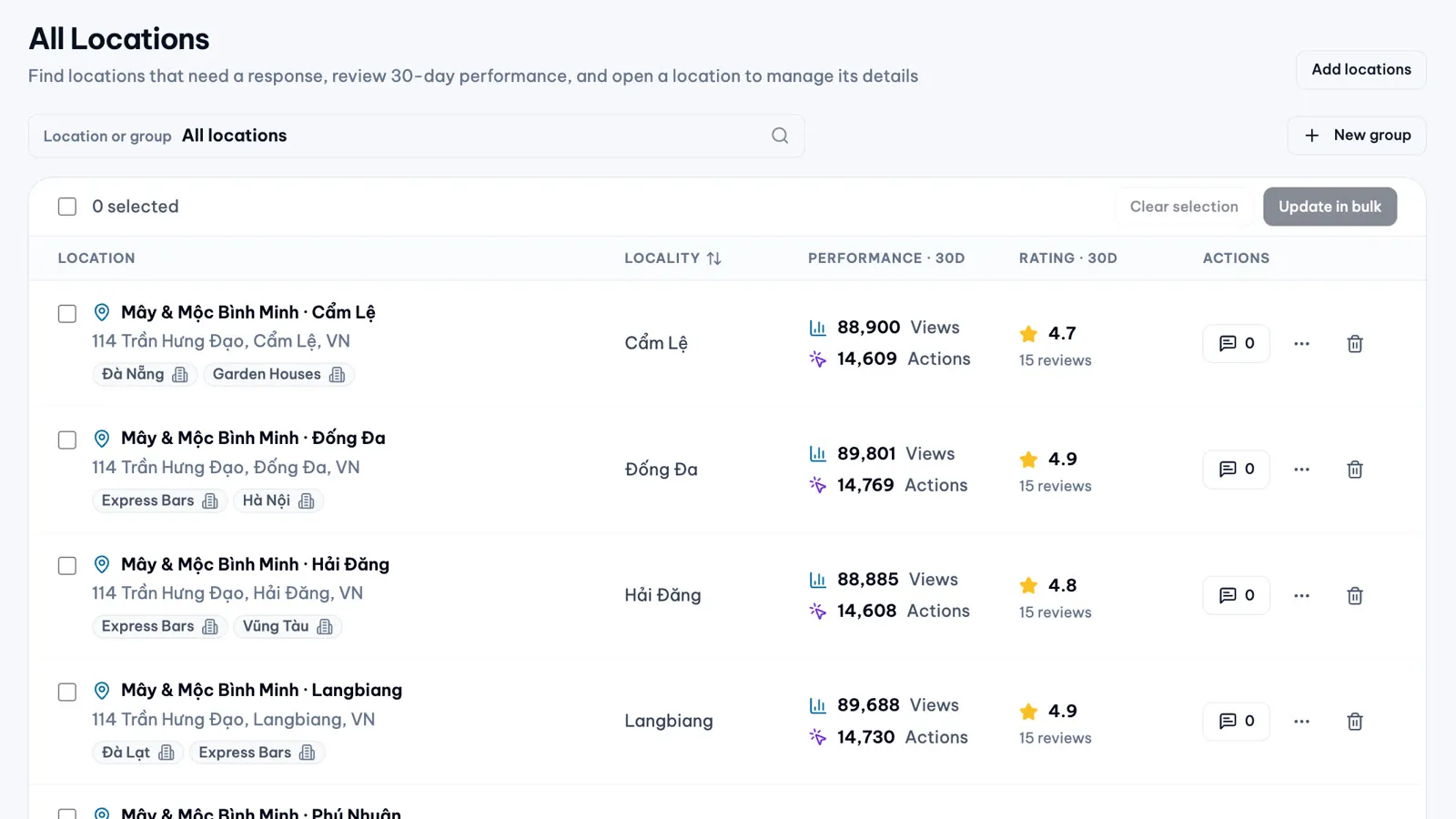
Every location in a chain is two things at once: a business asset that has to be owned, accurate and protected, and a place where customers meet the brand. MapLovin helps multi-location businesses look after both.
Where network value is lost
Most chains lose value where headquarters cannot see it:
- Unclaimed and duplicated locations that belong to no one, or to two listings
- Wrong or changed details, edited by someone outside the team, that send calls and visits next door
- Unheard customers: one-star reviews with no reply, complaints with no owner
- Patterns nobody sees, such as the same complaint in fifty branches
- Work that does not scale, with every change made branch by branch
Customers now often meet a location in an AI answer first. Google has added Gemini to Google Maps: review summaries, and Ask Maps, which answers “where should I…” with named places. Both launched in the U.S. first. These are Google’s products: MapLovin does not control them. Complete, accurate profiles, answered reviews and current content help provide the signals Google’s search and AI experiences may use.
What MapLovin is
MapLovin brings together a platform, AI assistance inside it and a team of specialists.
The MX platform
MX is where a team runs its location network: locations, reviews, posts, changes and people in one workspace, with approvals and history. It manages Google Business Profile through the official Google Business Profile API, and it runs 24/7.
- Locations. Every location in one list, and an editor that compares each field with Google
- Bulk Update. One approved request changes phone, website, description or weekly hours across a group or the whole chain (Business plan)
- Touchpoints. A QR code per location that invites a Google review or private feedback
- Reviews. One inbox for every location’s Google reviews
- Review Analytics. What customers praise and complain about, on Pro and Business
- Dashboard. Headline numbers with their change against the prior period, leaderboards with the biggest movers, and a list of what needs attention
- Posts and Content Plan. One post published to every chosen location or a whole group, and weeks of posts planned ahead on Pro and Business
- Approvals. Replies, location changes, Bulk Update requests and posts decided in one place, with who decided and when
Touchpoints and post publishing are switched on workspace by workspace during rollout.
AI assistance across MX
AI in MX drafts and analyses. Your rules decide what happens next.
- Reply drafts in English, Vietnamese and the reviewer’s own language, in your tone, length and signature
- Automatic replies under your rules. On Pro and Business, you choose which untouched AI drafts are approved and sent automatically: none, positive reviews only, or all. One switch pauses every automatic step
- Review insights: sentiment, topics and experience drivers, with recommended actions
- Post drafts written from your request, and Content Plan posts drafted for the weeks ahead in your brand voice
- Content checks on photos and post text against rules drawn from Google’s policies. They are advisory and do not guarantee Google’s approval
Every AI output waits for a person unless an automation setting says otherwise.
MapLovin Expert Services
Some work cannot be done in software. Our specialists claim and verify locations, recover ownership, appeal suspensions, fix map pins and Place IDs, clean up data and optimise profiles. They hand the network over to your team, or stay on as managed operations. Google decides verification, appeals and their timing; our team prepares, submits and follows up. Our work comes with a twelve-month warranty on created and recovered locations.
The Foundation Service
Most chains start here. Our experts audit every location for ownership, access, duplicates and missing information; claim, verify and complete each profile to an agreed standard; handle lost access, suspensions, duplicates and listings wrongly marked closed; and hand the network over with access documented and a twelve-month warranty on created and recovered locations.
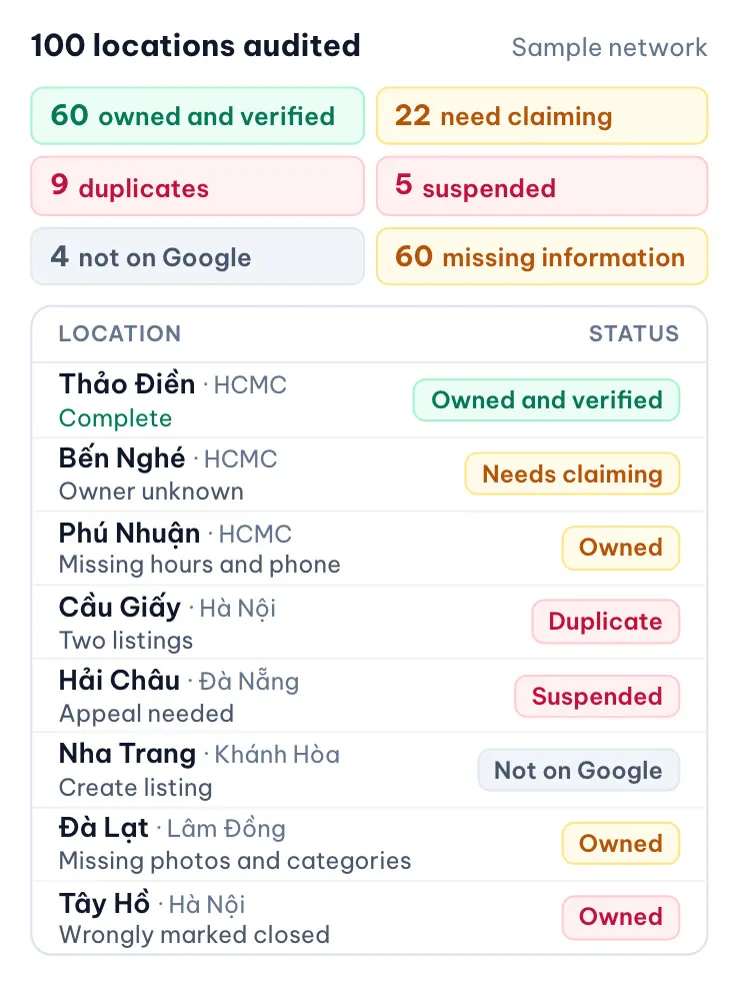
A Foundation project is measured against targets agreed with each client. Typical targets, as illustrative samples refined after the assessment:
- Locations meeting the agreed standard: 40% → 95%
- Locations verified and owned by the brand: 60% → 98%
- Priority issues resolved: 90%
- Duplicate and closed cases assessed and actioned: 100%
In one case, a Vietnamese bank went from no owned locations to about 200 branches and ATMs live in two months: ownership was recovered, ATMs added, duplicates removed and every location renamed under a new brand.
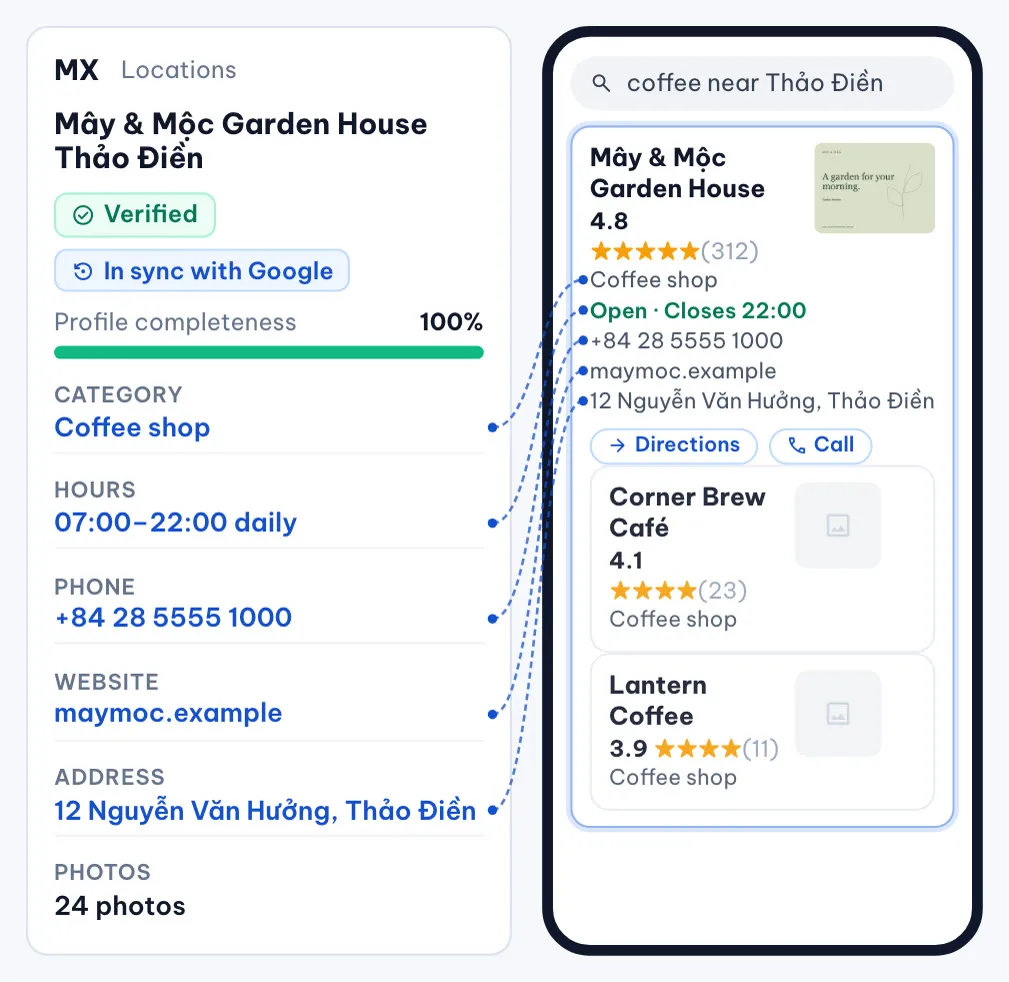
Three outcomes along the customer journey
MX features then group into three outcomes, one per stage of the customer’s journey.
Get found and protected, before arrival. Be the accurate, complete location customers find and choose. Locations, Location groups and Bulk Update keep details right, and MX shows where Google no longer matches MX so your team can keep Google’s value or send the approved one back. See Google change status for location details and Bulk Update.
Build trust, at the location. Invite every customer to review or speak up, and answer every review on time, with Touchpoints, the Review Inbox and AI replies. An illustrative target: response coverage from 35% to 95%, a sample refined after the assessment. Read Build trust.
Grow with AI, after the visit. Learn what drives results and give customers reasons to return, with the Dashboard, Review Analytics, Content Plan and AI checks. An illustrative target: profile views up 25% in three months, a sample refined after the assessment. Read Grow with AI.
Built for the people who approve it
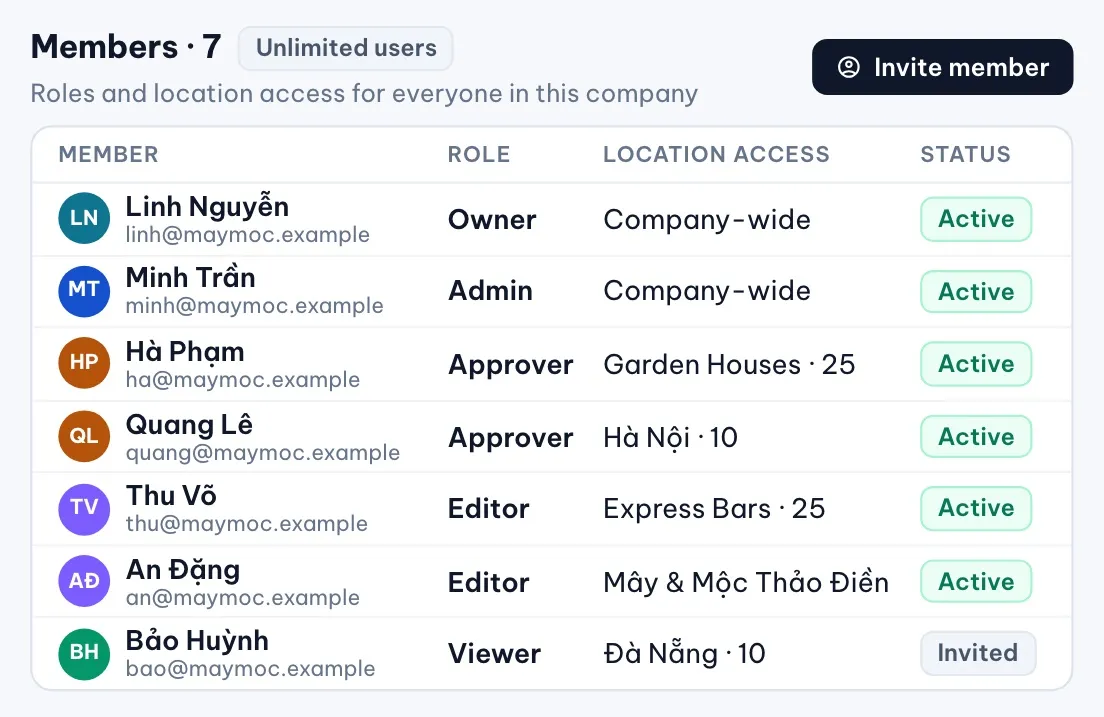
- Five roles: Owners, Admins and Approvers decide; Editors and Viewers read, and Editors can comment
- On the Business plan, unlimited users, and each member gets one role and a location or group scope, so regional and branch teams see and act only on their own locations. Owners and Admins stay company-wide
- Every approval records who decided, when and their comments
- MX’s Google connection has passed Google’s OAuth verification, and Google tokens are stored encrypted
Where to start
The usual first step is a free Google Maps check of your locations. We come back with what we found and the path we recommend.