
UpdateLocations
Bulk Update - change phone, website, description or hours across many locations
Business workspaces can now apply one phone, website, description or hours value to selected branches or the whole chain, with approval and a report
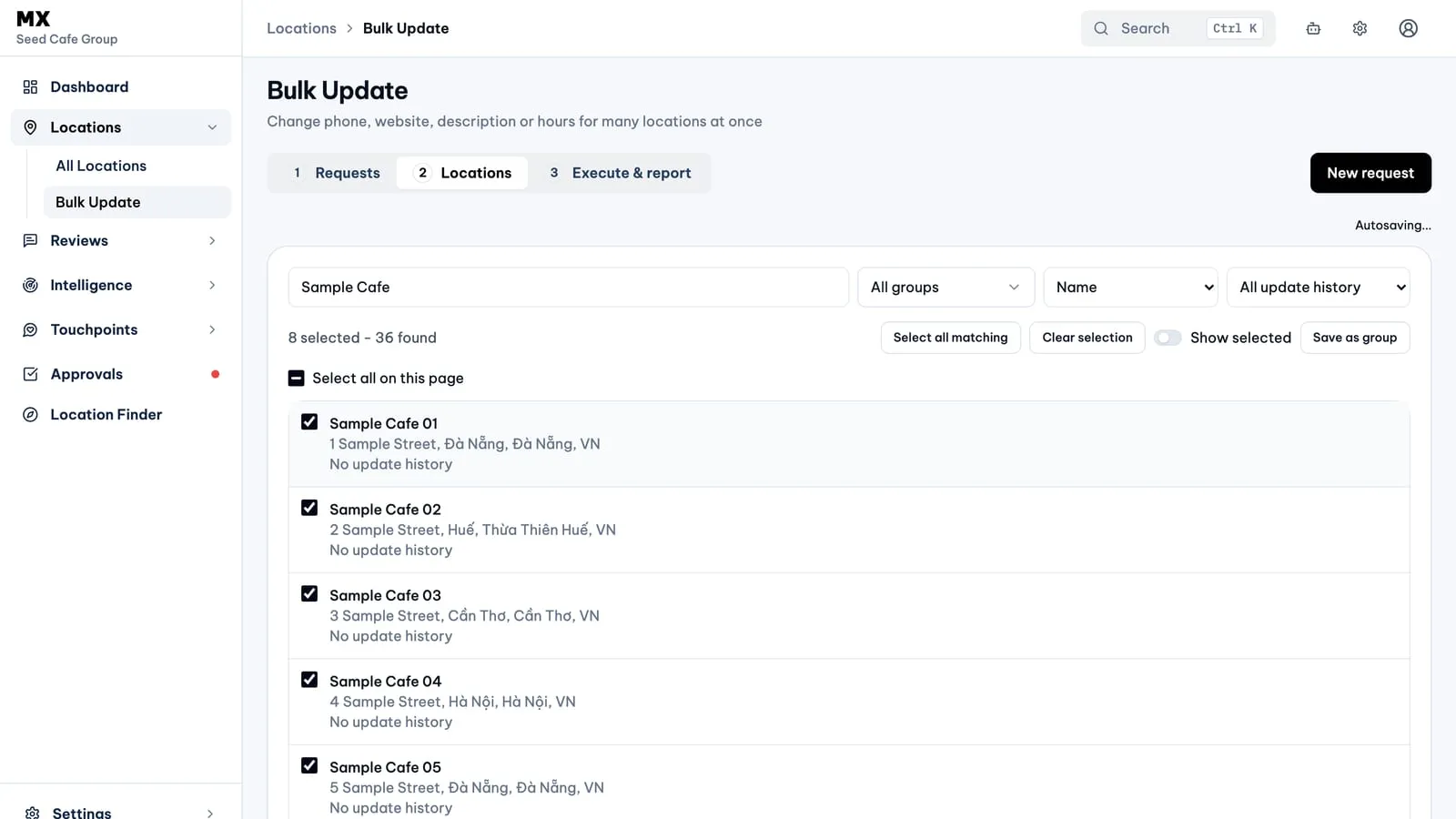
Bulk Update is a new area under Locations for teams that need the same change on many Google Business Profiles at once: a new phone number for the whole chain, a website that moved, a refreshed description or a new weekly schedule. You enter the value once, choose the locations, and MX sends one change per location through the validation, approval and sync path that single-location edits already use.
New
- Four shared fields. Primary phone, website, description and regular hours. A selected field always carries the value you typed; unselected fields stay exactly as they are on each profile. Bulk Update never blanks a value: to remove something you still edit the location on its own.
- Three steps on one page. Requests lists past and current requests and holds the draft you are composing. Locations is where you search by name or address, filter by location group, keep a selection across pages, Shift-click a range and choose Select all on this page or Select all matching. Execute & report shows a summary, lets you send the request, and then shows the result for every location.
- Two ways to run it. Send to Approvals routes the request through your company’s existing approval rules. Owners can instead choose Execute, which records their approval and starts the run immediately. Either way, once a run starts it cannot be stopped, and the screen says so before you confirm.
- A result per location. Each location ends as Updated, Partial, Failed, Skipped or No change, with the field-level reason when you open it. You can filter to failed updates, retry eligible ones, or copy the failed locations into a new request.
Who can use it
Bulk Update appears under Locations for every workspace, but creating and sending requests is available on the Business plan only. Other workspaces see a short notice and keep any past requests readable. Within a Business workspace, editors, approvers, admins and owners can draft and send requests, viewers can read them, approvers and above decide them in Approvals, and only an owner can use Execute. The page is built for desktop; on a phone it asks you to open it on a larger screen.
Good to know
- Description accepts up to 750 characters with a live counter. Phone numbers need a country code and 6 to 15 digits. Hours replace the whole week, including closed days, 24-hour days, multiple ranges and overnight periods.
- A request freezes its values and location list when it is sent. To change anything after that, copy it into a new request.
- Applied in MX means Google accepted the change. Google can show the field as pending on its side for a while after that.
Current limits
- Bulk Update does not change location names, categories, attributes, special or holiday hours, additional phones and links, store codes or media.
- Every selected location gets the same value; there are no per-location values.
- There is no spreadsheet import and no scheduled run.
- Address is edited per location only.