
UpdateLocations
Location groups - save sets of locations and use them everywhere
Anyone can save private location groups, owners and admins can share company groups, and one fast location selector now runs across MX
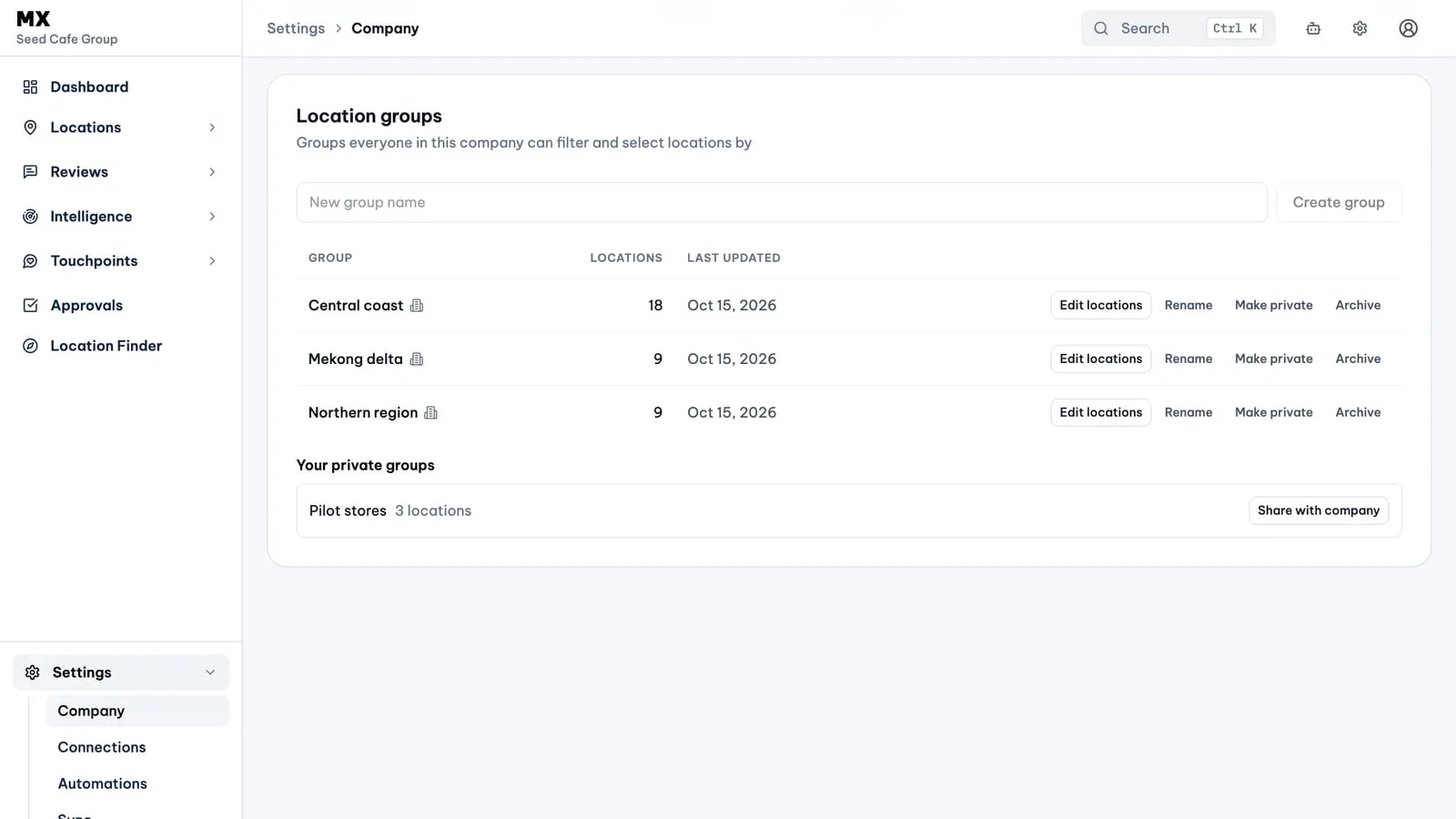
Location groups let you save a set of locations under a name and reuse it anywhere MX asks you to pick or filter locations: a region, a franchise partner’s branches, the stores in a pilot. They arrive together with a rebuilt location selector, so the picker you see in Locations, Reviews, Touchpoints and Bulk Update is now the same component with the same search, paging and keyboard behaviour.
New
- Private groups. Any member, including viewers, can save the current selection as a group from inside the location selector, then rename it, add or remove the selected locations, or delete it. Only the person who created a private group can see it; owners and admins cannot see other people’s private groups.
- Company groups. Owners and admins manage shared groups under Settings → Company → Location groups: create, rename, edit locations, archive, and share one of their own private groups with the company or make a company group private again. Company groups carry an icon wherever a group name appears, so they are easy to tell from your own.
- Group filters across MX. The Locations list, Reviews, Review analytics, the Touchpoints overview and the Feedback inbox can be filtered to a group, and the filter shows the group’s name. The Locations list also offers “All locations matching” a search, and a New group button to save that set.
- Groups in Bulk Update. The Locations step of a Bulk Update request filters by group and can save the final selection as a group for next time.
Improved
- One selector. Search matches name and address as you type, ignores case and accents, keeps selections across pages and searches, supports Shift-click ranges and Select all on this page, and shows exact counts in a fixed order. Location data is cached per company so the selector opens quickly after the first load.
- Locality column. The Locations list shows each location’s locality and can sort by it.
Good to know
- Groups are available on every plan.
- Groups never change who can see or edit a location. Access still follows company membership and roles.
- A company group name is used once per company, and a private group name once per person. If you share or unshare a group and the name is already taken there, MX asks you to rename it first.
- Archived or removed locations drop out of filters and selections; their history is kept.
Current limits
- A group is a fixed list, not a rule: new locations are not added to it automatically.
- Owners and admins cannot see other people’s private groups.
- Groups add no editing capability except as targets for Bulk Update in Business workspaces.