
ArticleLocations
Get found and protected - accurate locations before the customer arrives
How Locations, Bulk Update and Protect in MX keep every location accurate and complete, and put unwanted changes on Google right
This post is available in English only
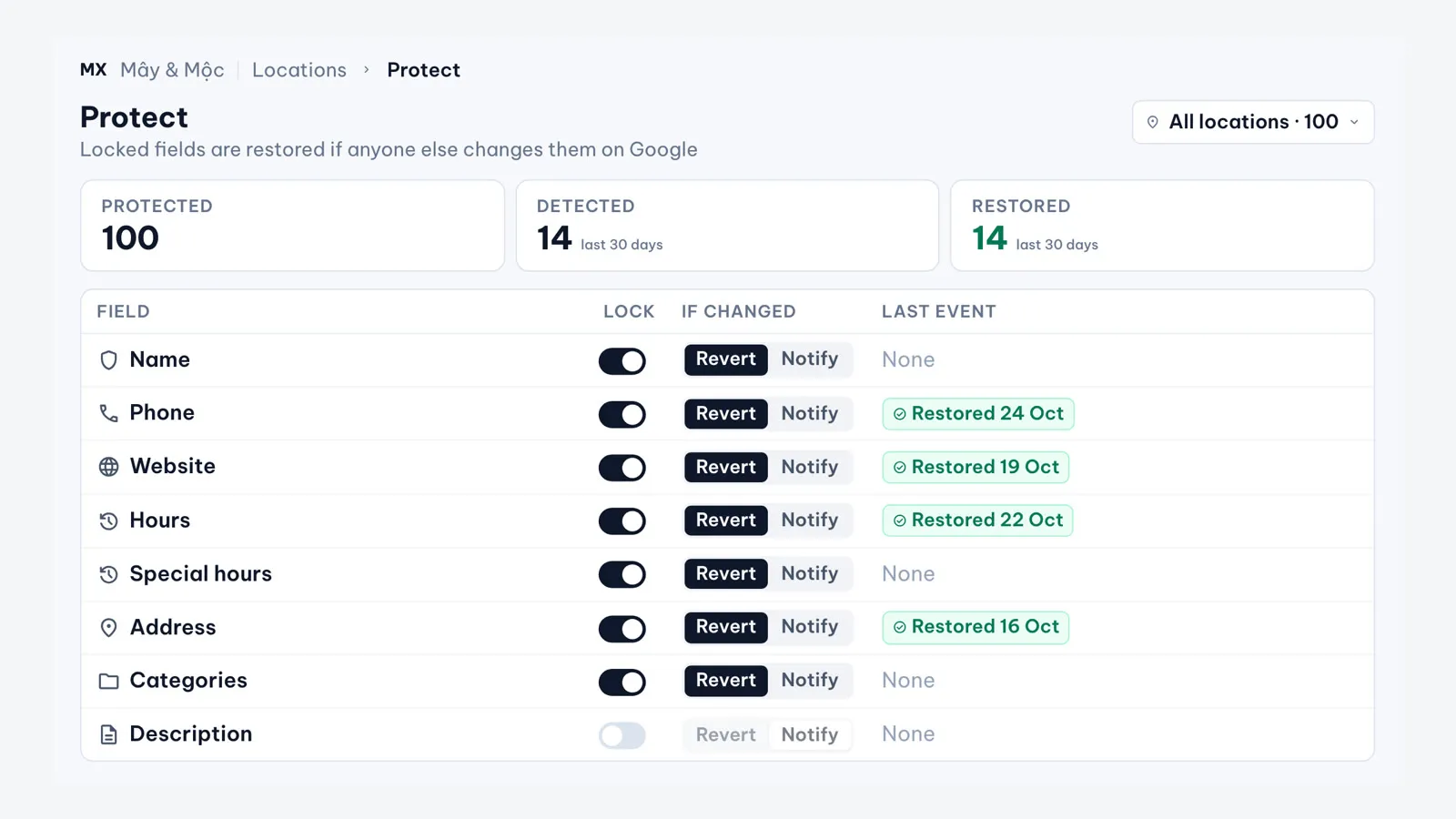
Before customers arrive, they look you up. If the hours are wrong, the phone number is out of date or someone outside the team has changed a detail, the call goes unanswered and the visit goes next door. For a chain the problem multiplies: hundreds of profiles, each open to edits on Google, and every change made branch by branch by whoever has the login.
Get Found & Protected is the part of MapLovin for this stage of the journey: every location accurate and complete wherever customers look, managed in one place, with unwanted changes put right. It brings together three MX areas.
Locations: every location in one list
Locations lists every location with its status, search and filters. Location groups save a set of locations under a name, such as a region, a format or a brand. Private groups are yours; company groups are shared with the team. On the Business plan, groups also set access for unlimited users: each member gets one role and a location or group scope and sees and acts only on those locations, while Owners and Admins stay company-wide. The same location selector appears in every feature, so a group you pick in Locations can be targeted again in Reviews, Review Analytics or Bulk Update.
Open a location to edit its profile. The editor compares each field in MX with the value on Google and marks it live, pending, in conflict or updated on Google. Every change goes through approval and is written to Google once approved. Google may still review a change before it shows.
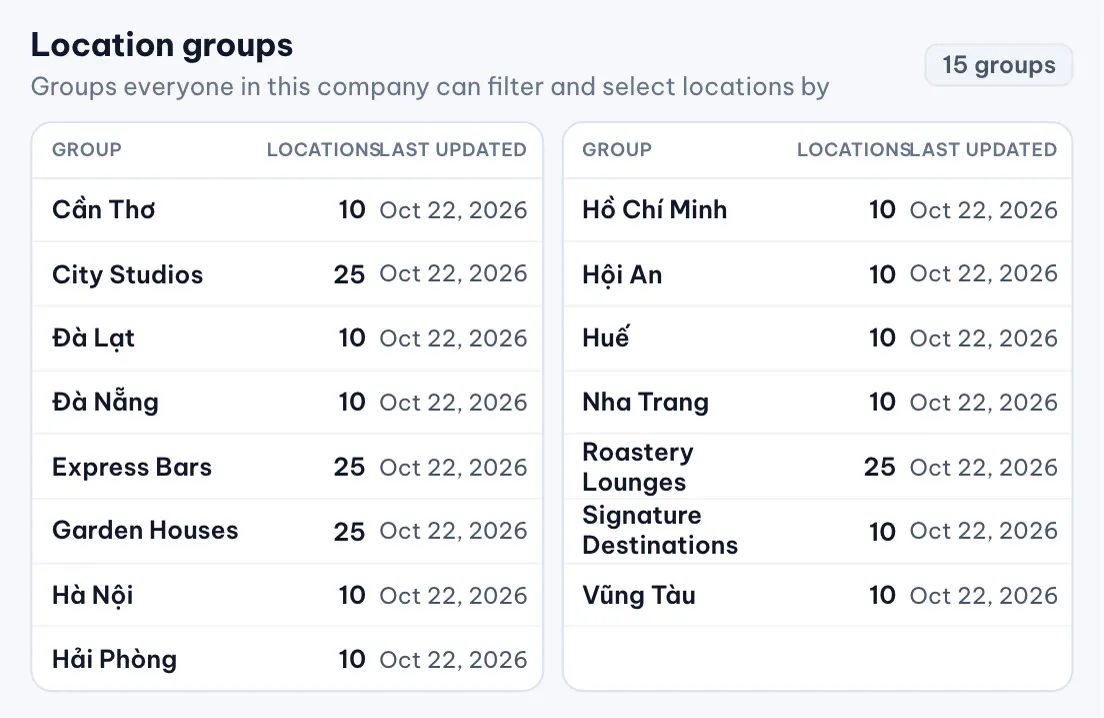
See Location groups for how groups work.
Bulk Update: change once, everywhere
On the Business plan, one Bulk Update request changes phone, website, description or weekly hours across a group or the whole chain, and can set the logo and cover photo from Brand Assets. The request goes to Approvals, and once it runs MX reports a result for each location: Updated, Partial, Failed, No change or Skipped. Failed locations can be retried, or copied into a new request.
The Bulk Update update covers the full flow.
Protect: lock the fields that matter
In Locations › Protect, the owner chooses which fields are locked for which locations. When someone else changes a locked field on Google, MX automatically reverts it to the approved value and records the event, so you see what changed, where and when. Reversion follows the rules you set; it is not AI, and it covers the supported fields.
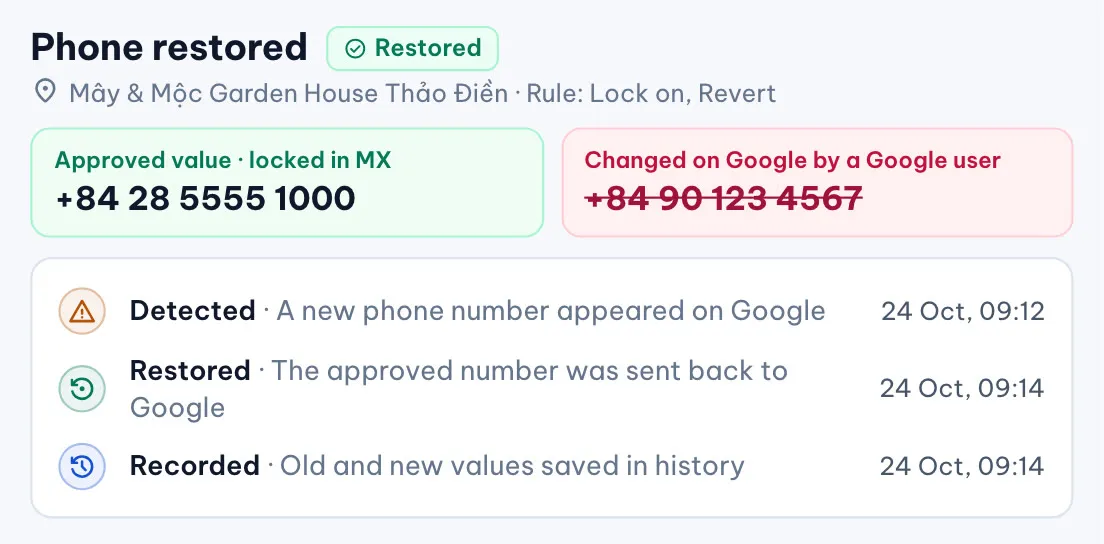
Protect builds on the change detection already in MX: a status badge on each field where Google and MX disagree, the choice to keep Google’s value or send the MX value back, and a Location conflict item on the dashboard. Google change status for location details explains it.
What our team does
- Set up groups, roles and access for every team
- Agree the location standard and the fields to lock
- Run network-wide changes as approved Bulk Update requests
- Turn on Protect for the locked fields
In practice
A hotel chain with about 100 locations on MX sees about 1 million profile views and 60 thousand customer interactions a month, and estimates about 60% less manual work on routine changes and replies. These are that chain’s figures, not a promise for every network.
Current limits
- Bulk Update does not change address, holiday or special hours, categories or attributes. Address is edited one location at a time
- A Bulk Update request cannot be cancelled once it is sent
- Bulk Update is for company-wide members; a member scoped to some locations cannot use it
- Google decides whether and when an edit shows; a change can stay pending while Google reviews it
- Map pins and Place IDs are not edited in MX. MapLovin’s team fixes them as a service