
A plan post goes through the same steps as any post: a draft, the AI policy check, Approvals, then publishing. The difference is timing. MX sends plan drafts to Approvals by itself ahead of their slot, and publishes each approved post at its slot time.
Check what an AI plan drafted
An active AI plan prepares upcoming drafts and adds more as the plan progresses. Each draft has a text, a type and a photo from your Media library.
-
Open Posts → Content Plan and select the plan. The box above the plan shows what the AI is doing, such as Writing drafts or Up to date, how many posts are drafted ahead and how many AI plan posts you have used this month.
-
Under Slots, each slot lists its posts with their status. Select a post, or Continue writing on a Drafted slot, to open it. To write an Open slot’s post yourself, select Write post.
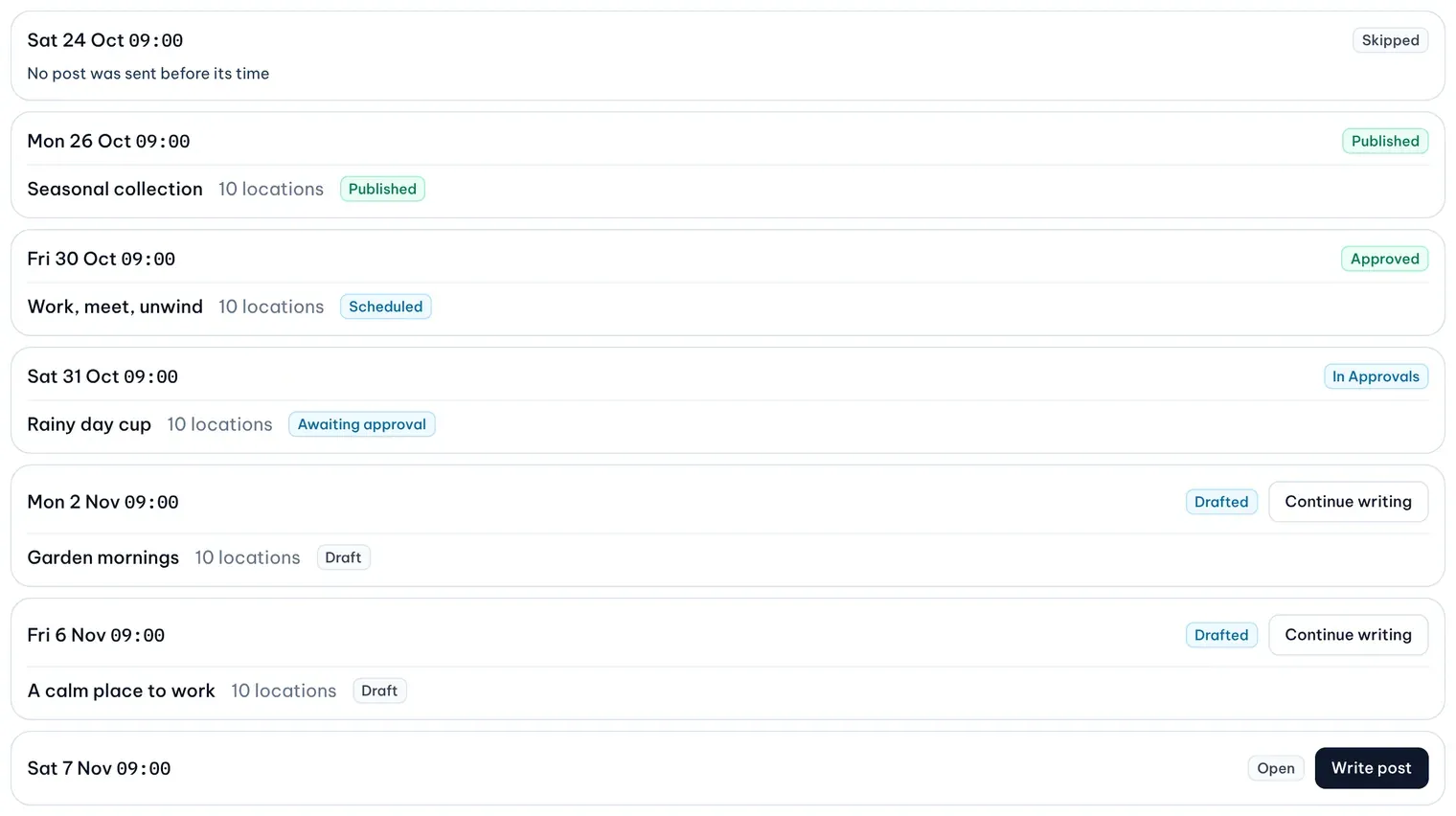
1: In Approvals. 2: Continue writing. 3: Write postIllustrative data -
Edit the text, the type or the media as you would any post. The slot’s time and the plan’s locations stay fixed.
-
Leave it as a draft for MX to send, or select Send to Approvals now.
The AI picks photos that passed the policy check or haven’t been checked yet. It never picks a flagged photo or a logo. When no suitable photo is left, the plan shows Needs media and stops drafting until you add photos; drafts already written still go out.
When drafts go to Approvals
Ahead of each slot, MX sends the slot’s draft to Approvals on behalf of the person who created the plan. It runs the same checks as when a person sends a post, including the AI policy check. A draft that fails a check or gets a policy flag stays a draft, and MX tries again until the slot, so you have time to fix it.
Approve a plan post
- Open Approvals and select View detail on the post. A line names the plan it comes from and says Needs a person to approve, or shows the countdown to automatic approval.
- Select Approve post, or Reject post with a reason.
To change the post before deciding, an Owner or Admin selects Edit post. The post goes back to a draft and opens in the editor; send it to Approvals again when you are done, because MX doesn’t resend an edited post by itself.
An approved post publishes at its slot time. If it is approved after the slot, it can still publish for a short time after the slot; after that it expires and its slot shows Expired. Merge fields show as fields in Approvals, with the text the first few locations receive.