
The Brand kit is what AI plans write from: the language of your posts, your tone, who you write for, what you sell, and the offers they may mention. There is one Brand kit for the company. Owners and Admins edit it in Settings → Company; everyone else sees a short read-only summary when they choose AI in the plan form.
Only AI plans in Content Plan use the Brand kit. Manual plans and Draft with AI in Posts don’t read it.
Fill in the Brand kit
-
Open Settings → Company and find the Brand kit card. Select Set up, or Edit once a kit exists.
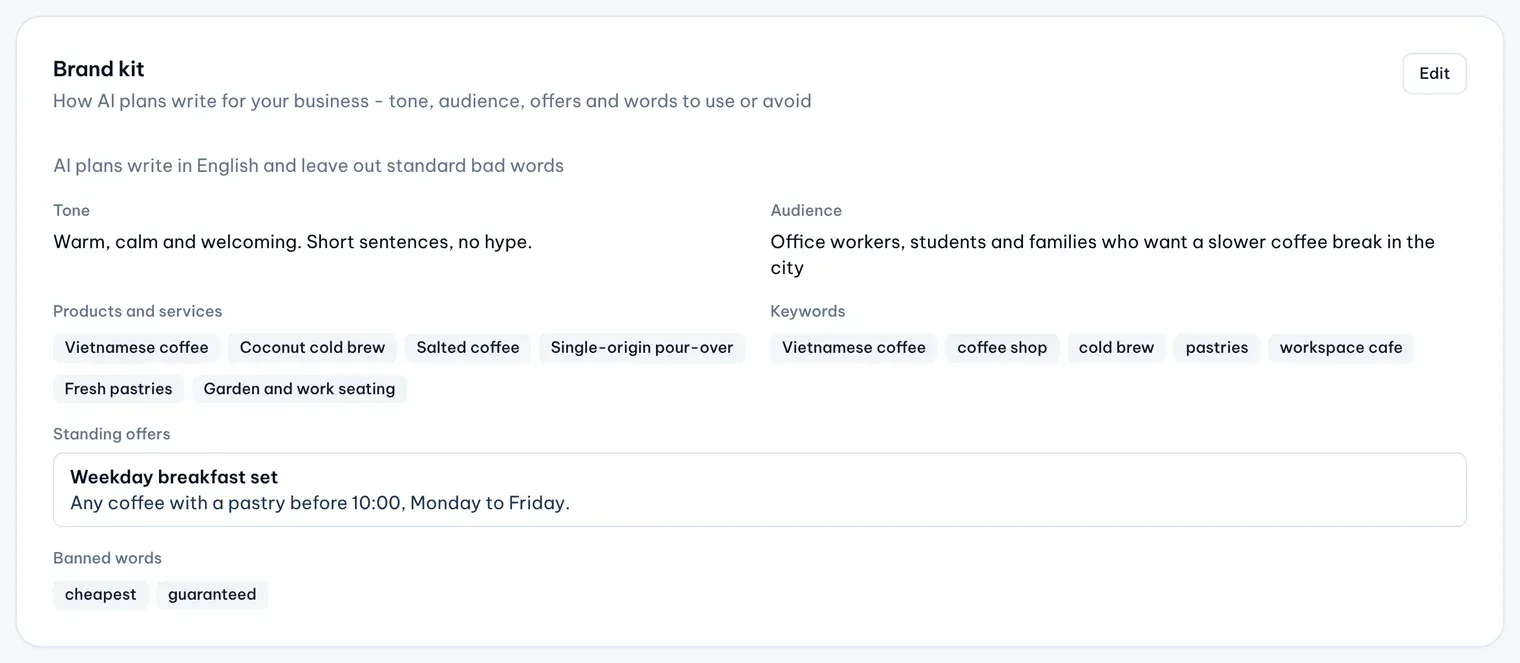
1: EditIllustrative data -
Choose the Language: Vietnamese or English. AI plans write every post in it.
-
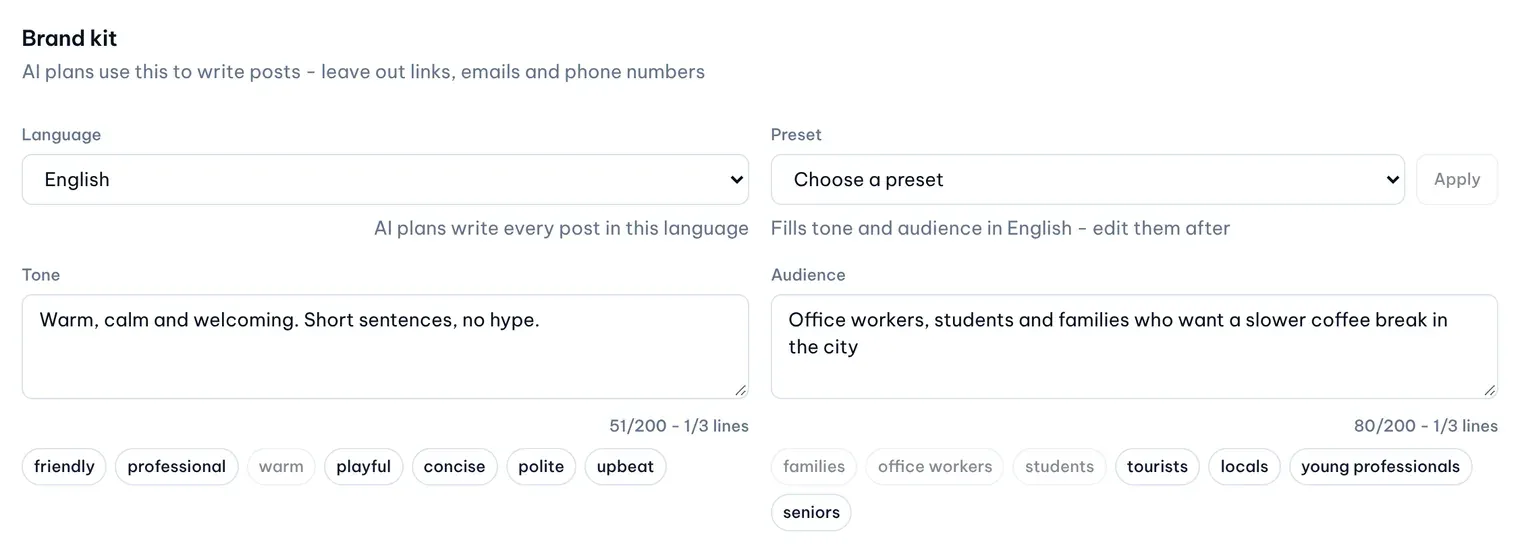
Describe your Tone and Audience. To start from an example, pick a Preset such as Friendly routine update and select Apply; it fills both fields, and asks before it replaces text you wrote. The suggestion buttons under each field add one word or phrase at a time.
Illustrative data -
List your Products and services and Keywords, one per line.
-
Under Banned words, list words AI plans must never use, one per line. Leave Avoid standard bad words on.
-
Under Standing offers, select Add offer for each offer AI plans may post about: a Title, and optionally a Coupon code, Terms and the dates it Starts and Ends.
-
Select Save.
Each field shows a counter and stops at its limit.
Leave out links and contact details
Leave out links, email addresses and phone numbers. MX points out any it can’t accept so you can remove them before you save.