
Review replies, location edits, Bulk Update requests and posts require approval before MX sends them to Google. A person approves them, or an automation that an Owner or Admin turned on. Approvals is where that work waits. Every role can open it; Owners, Admins and Approvers decide. Protect restores are a separate case, covered in Protect.
See what needs approval
- Review replies submitted for approval, by a person or by an automatic reply rule.
- Location updates: changes to one location’s profile, such as its phone or hours.
- Bulk Update requests: one request for many locations.
- Posts, including the posts a Content Plan submits before their scheduled time.
Work is grouped in batches. A batch of review replies can hold several replies; a post or a Bulk Update request is one batch of its own. Each row shows the batch name, who created it and when, and how many items or locations it covers.
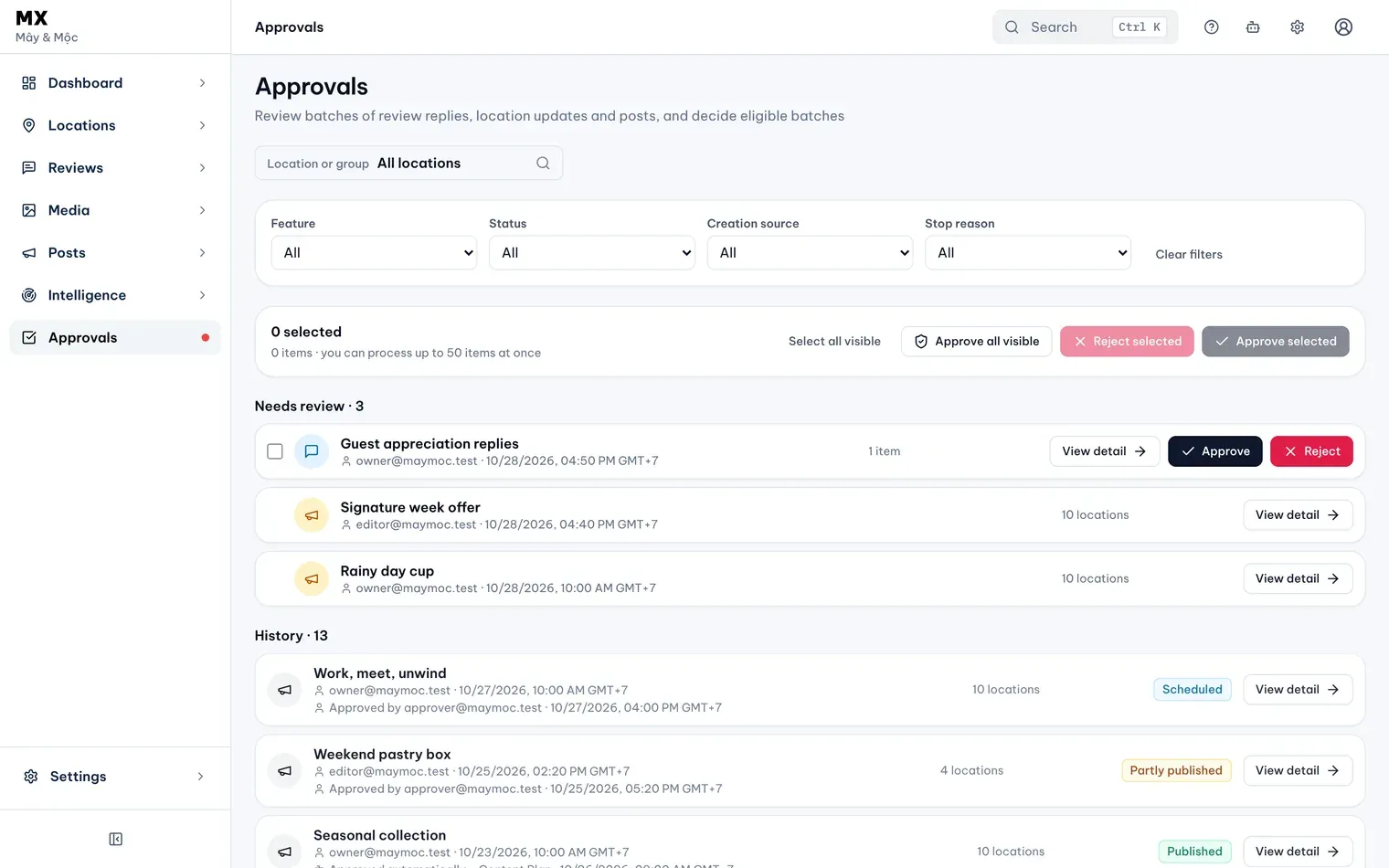
For Owners, Admins and Approvers the list has two parts: Needs review, with the batches still waiting, and History, with the ones already decided. Editors and Viewers see one list with a status on each batch, and the note Approval history is read-only for your role.
Narrow the list
The filters apply as soon as you change them:
- Location or group: shows batches with any item at that location or in that group. A decision still covers the whole batch.
- Feature: one kind of work at a time, such as Review replies, Location updates or Posts.
- Status: Needs review, Approved, Completed, Rejected or Failed.
- Creation source: Manual for work people submitted, Automation for work an automatic rule submitted.
- Stop reason: Google disconnected shows work that stopped when Google Business Profile was disconnected.
Select Clear filters to show everything again; the location or group you picked stays. When the list is long, Next page at the bottom shows more.
Check who can decide
- Owner, Admin and Approver approve and reject.
- Editor reads the batches for their locations and can comment on review reply batches.
- Viewer reads only.
- A change to a protected field needs an Owner or Admin. An Approver sees the batch with Only an Owner or Admin can decide a protected field.
The Dashboard’s Needs attention card counts the batches waiting and links here.