
UpdateLocations
Content Plan - scheduled posts, plans with a rhythm and Posts on every plan
Posts is now on every plan and publishes once approved. Pro and Business add Content Plan: scheduled posts and weekly or monthly plans, drafted by AI
This post is available in English only
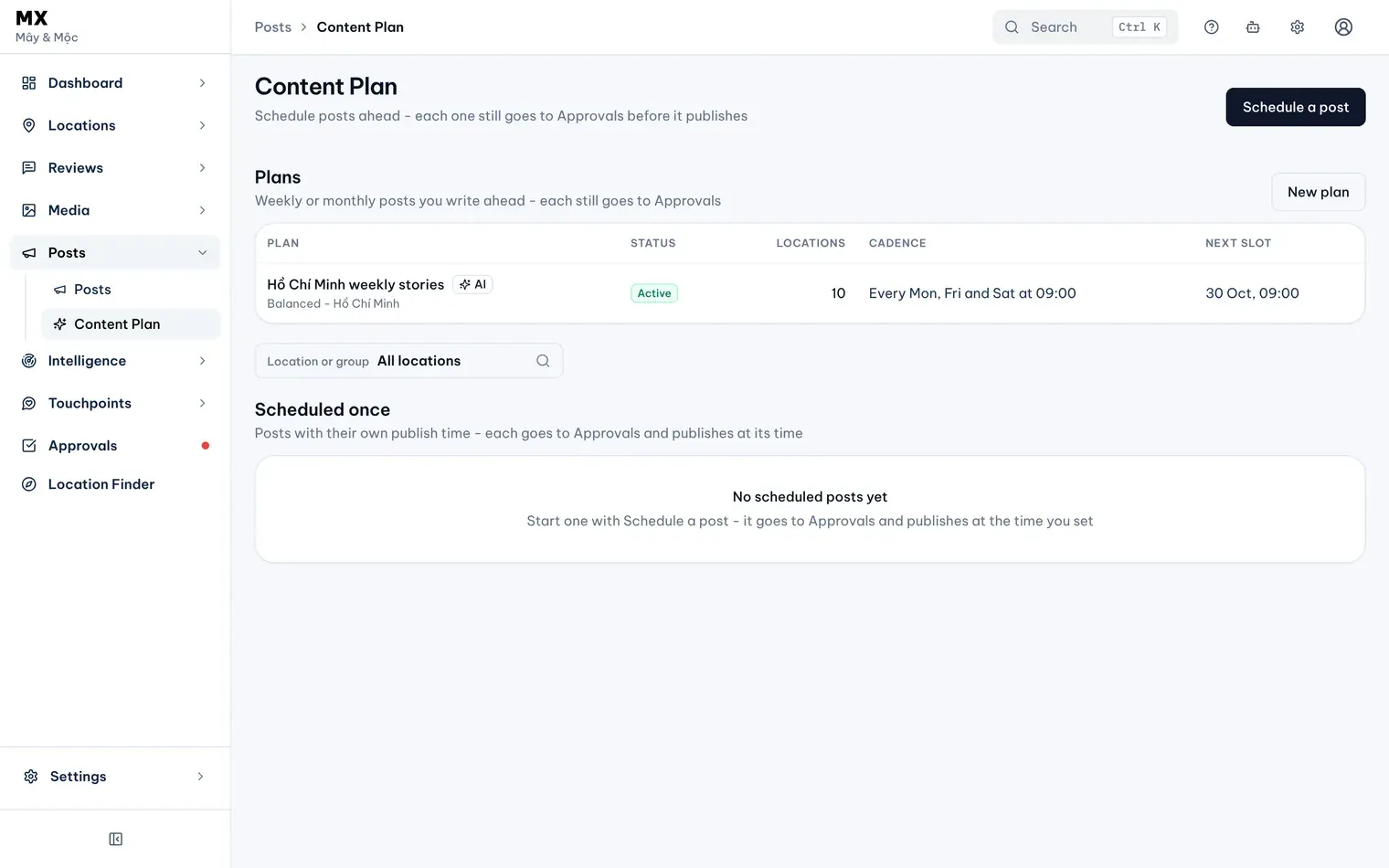
The Content Plan release on 22 October 2026 changed two things. Posts, the MX area for Google Business Profile posts, is now on every plan and publishes each post once it is approved. And Pro and Business workspaces get Posts → Content Plan, where you schedule a single post or set up a plan that posts on a rhythm, written by you or drafted by AI. Every plan post still gets the AI policy check and goes through Approvals.
The Content Plan guide walks through it step by step.
New
- Schedule a single post. Schedule a post opens the post editor with a Schedule field: pick a date and time in the company timezone, up to a year ahead. Once approved, it publishes at that time.
- Plans with a rhythm. A plan posts weekly on one to three weekdays, or monthly on days 1 to 28 or the last day, at one time of day between a start and an end date, to the locations or group you pick.
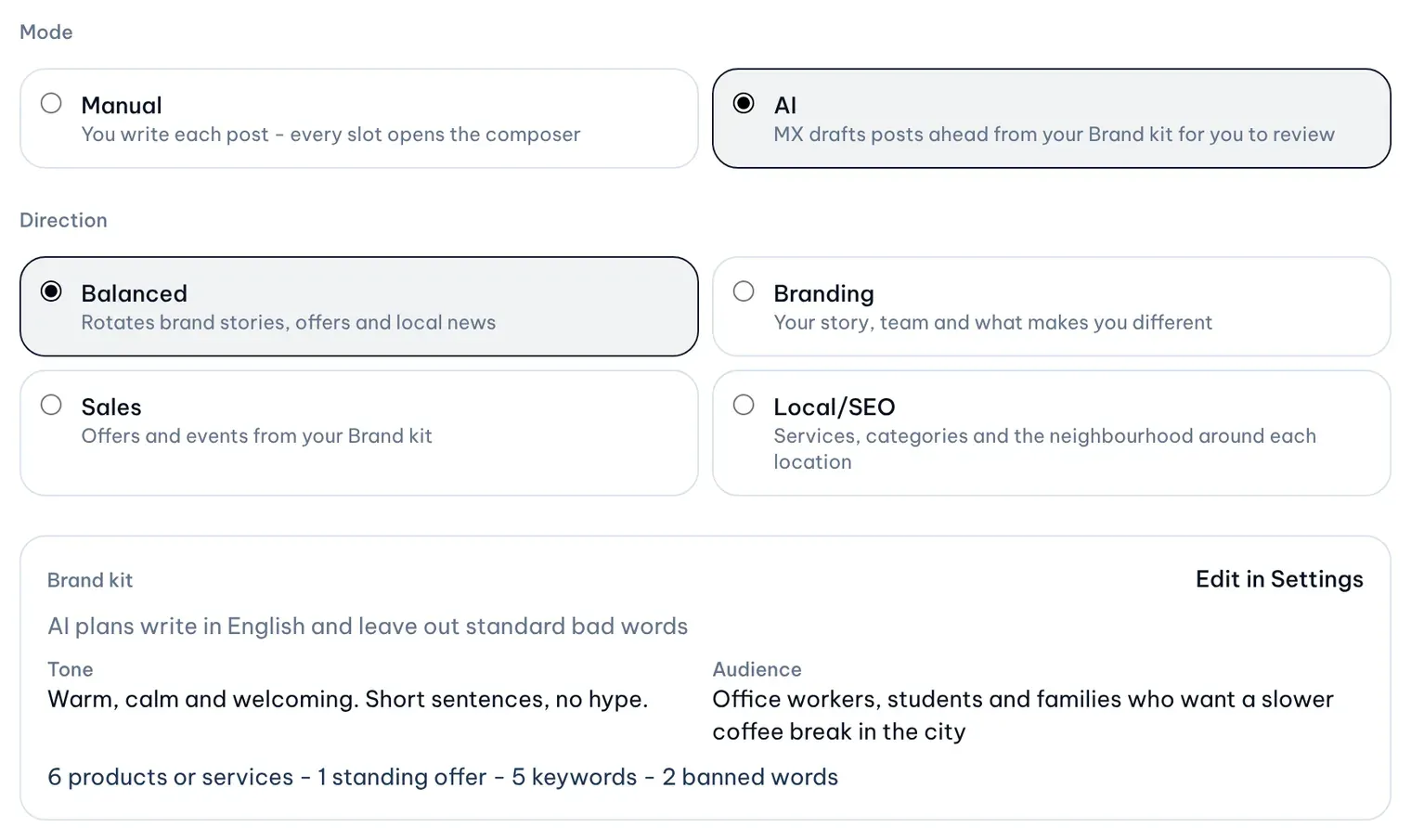
- Manual or AI. In a Manual plan you write each post. In an AI plan, MX drafts posts ahead from a direction (Balanced, Branding, Sales or Local/SEO) with a library photo or video that is not flagged. Drafts stay editable.
- Brand kit. In Settings → Company, owners and admins set the tone, audience, products and services, standing offers, keywords, banned words and language (Vietnamese or English) that AI plans write from.
- Merge fields and variants.
{location_name}and{city}in a plan or scheduled post become each location’s own name and city. An AI plan can split its locations across several variants of a post. - Review before it goes out. MX sends each plan post to Approvals ahead of its slot, with the usual checks. An approver sees which plan it came from and approves or rejects it; approved posts publish at the slot time.
- Optional automatic approval per plan. An owner or admin can turn on Approve automatically for one plan. It is off by default, and a person always approves the plan’s first two posts. After that, a post that has waited unchanged in Approvals for a waiting period and passed the AI policy check is approved at its slot time; a flagged or unreviewed post, or one edited too close to its slot, waits for a person. Pausing the plan or your automations, a downgrade or turning the switch off stops it at once. Approvals history marks these posts Approved automatically - Content Plan.
Improved
- Posts on every plan. Free workspaces can now write, send and publish posts, with Draft with AI and the AI policy check. Video in posts stays on Pro and Business.
- Publish once approved. A post written in Posts publishes as soon as an approver approves it, for every company. Scheduling for a later time moved to Content Plan.
Who can use it
Posts is included on every plan. Content Plan is on Pro and Business; on Free the page shows a locked card. Owners, admins and editors write posts and create and edit plans; every member can read them. Owners, admins and approvers approve or reject posts. Only owners and admins edit the Brand kit and turn on automatic approval.
Current limits
- Posts made in Posts, single scheduled posts and Settings → Automations never approve posts automatically.
- A location gets at most one scheduled post a day across plans and scheduled posts.
- Merge fields work in Content Plan posts only, not in posts published from Posts.
- Active plans, posts per plan, variants and AI plan posts each month are limited by plan. Pro runs up to three active plans at a time.
- Draft with AI in Posts does not read the Brand kit. Only AI plans do.
- Posts are published to Google Business Profile only. A published post cannot be edited or deleted from MX, and there are no post performance figures.
Further reading
- Knowledge baseSchedule a post for a later time
- Knowledge baseSet up a content plan
- Knowledge baseSet up the Brand kit for AI plans
- Knowledge baseLet a plan approve its own posts
- BlogGoogle posts - one update for every location, approved before it goes live