UpdateLocations
Media - one photo and video library for your company, with Brand Assets
MX now keeps your photos, videos, logo and cover photo in one library, checks each file against Google's rules and can send logo and cover to Google
This post is available in English only
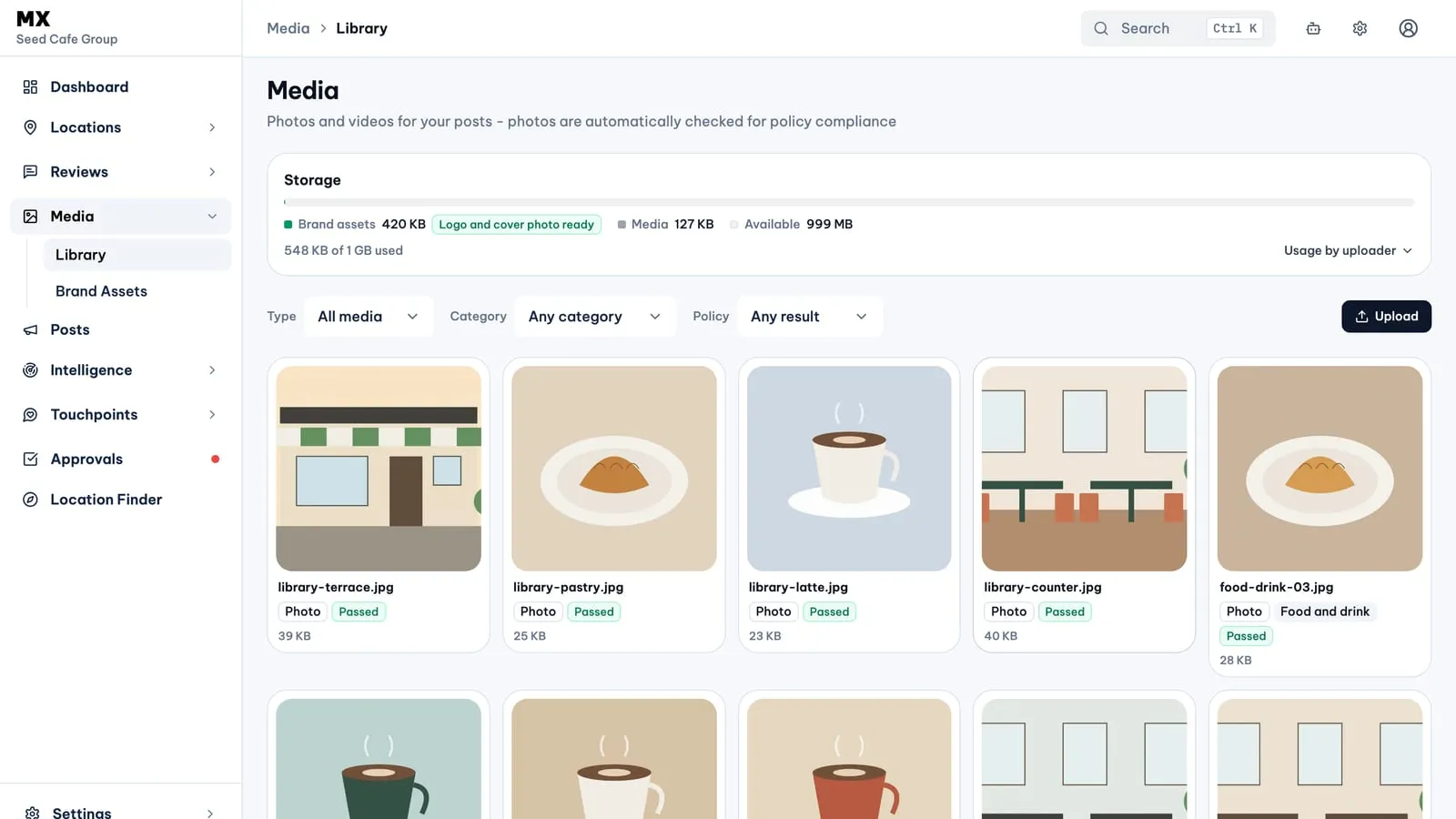
Media is a new area in the MX sidebar for the photos and videos your locations use on Google. Files live in one company library, each one is checked against Google Business Profile’s file rules before it uploads, and the logo and cover photo can be sent to many locations at once through Bulk Update.
New
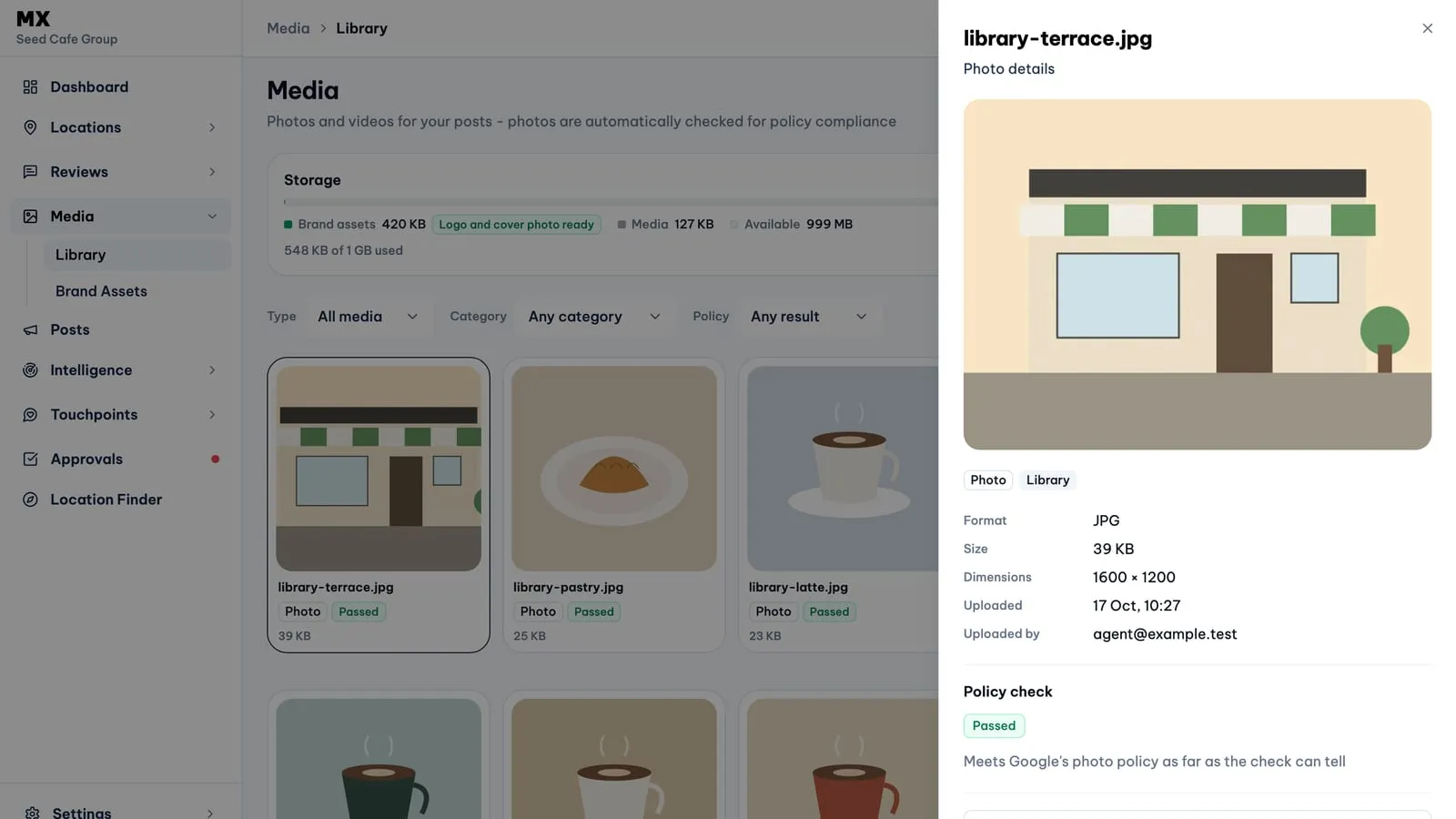
- Library. Media → Library shows every photo and video in one grid, newest first, filtered by type, brand category or policy result. A file’s details show its format, size, dimensions and uploader; videos play in place.
- Brand Assets. Media → Brand Assets sorts brand photos into Google’s categories: Logo, Cover photo, Exterior, Interior, Product, At work, Food and drink, Common area, Rooms and Team. A checklist compares each category with Google’s recommendation, as guidance only.
- Checked before upload. MX resizes large photos on your device, converts WebP and HEIC to JPEG, removes camera metadata and refuses any file that breaks a rule, naming the rule.
- Policy check. On Pro and Business, MX checks new photos once a day against Google’s photo policy and marks each one Passed or Flagged. The check is advisory: a flagged photo stays in the library and is left out of the post picker unless someone allows it.
- Logo and cover to Google. In Brand Assets, choose a logo and a cover photo and select Create Bulk Update request. The request opens with both images filled in; you pick the locations and send it for approval.
Who can use it
Every member can open Media and view files. Owners, admins and editors upload and archive library files; only owners and admins manage Brand Assets. Photos are available on every plan. Free includes 50 MB of storage; Pro adds video, the policy check and 500 MB; Business has 1 GB. Sending a logo or cover photo to Google uses Bulk Update, which is part of the Business plan.
Current limits
- Photos: JPG, PNG, WebP or HEIC, 10 KB to 5 MB after optimisation, at least 250×250 pixels. Logos must be square.
- Videos: MP4 or MOV, up to 30 seconds and 50 MB, at least 720p. Videos are not policy-checked and cannot be brand assets.
- No folders, tags, renaming, cropping or editing. Archiving cannot be undone, and archived files are deleted after 30 days.
- A full storage allowance stops new uploads; nothing already uploaded is removed.
- Only the logo and cover photo can be sent to Google. Bulk Update adds them as new photos without removing older ones, and Google reviews them before they appear.