UpdateLocations
Posts - publish one Google update, event or offer to many locations
Pro and Business workspaces can now write a Google Business Profile post once, send it through Approvals and publish it to many locations
This post is available in English only
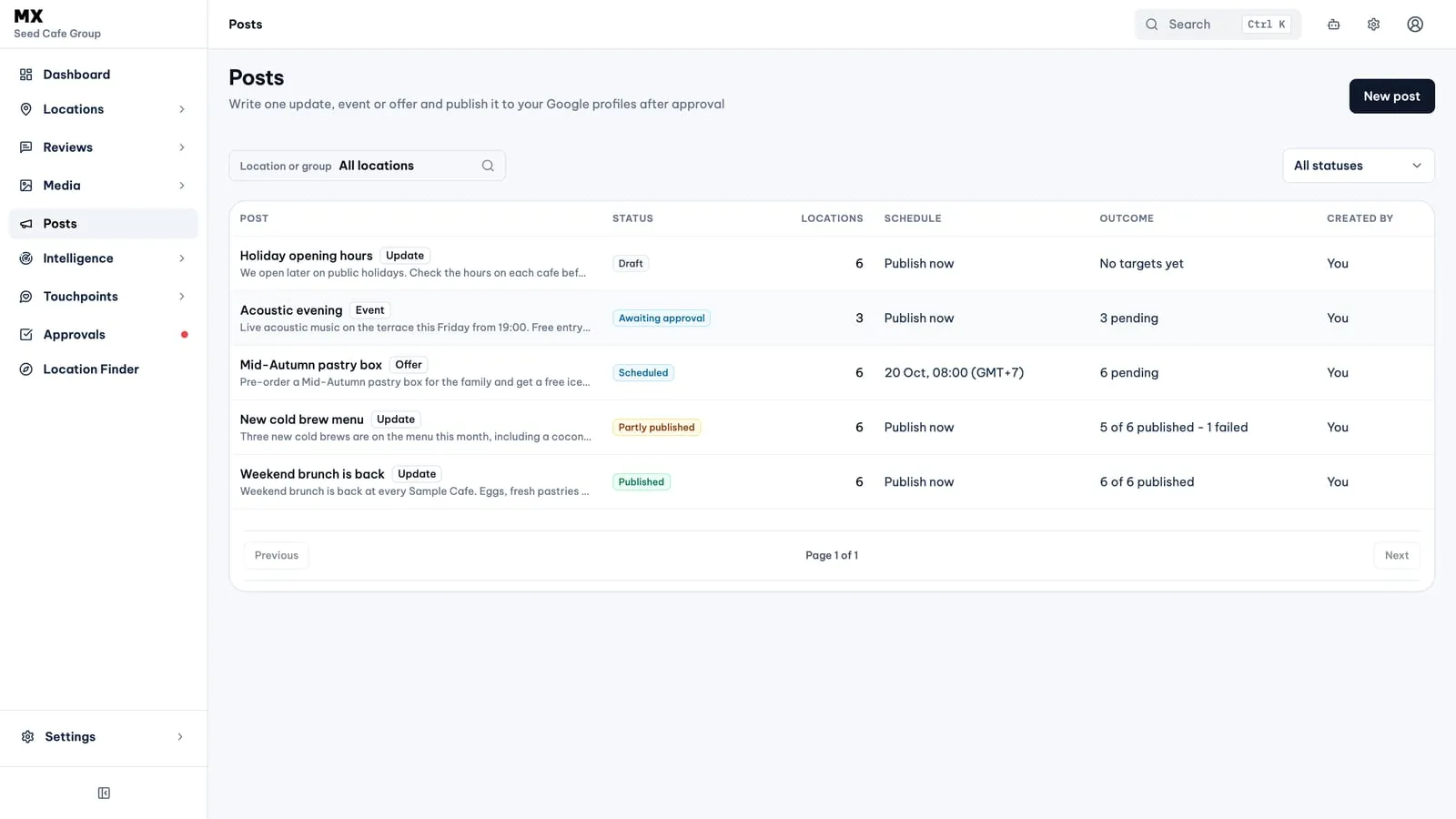
Posts is a new area in the MX sidebar for Google Business Profile posts. You write a post once, attach a photo or video from the Media library, pick the locations, choose when it goes out and send it to Approvals. Once approved, MX publishes it to each location’s profile and reports the result per location.
New
- Three post types. Update, Event and Offer. Updates and events can carry a button such as Book, Learn more or Call now; an offer carries a coupon code, a redeem link and terms instead.
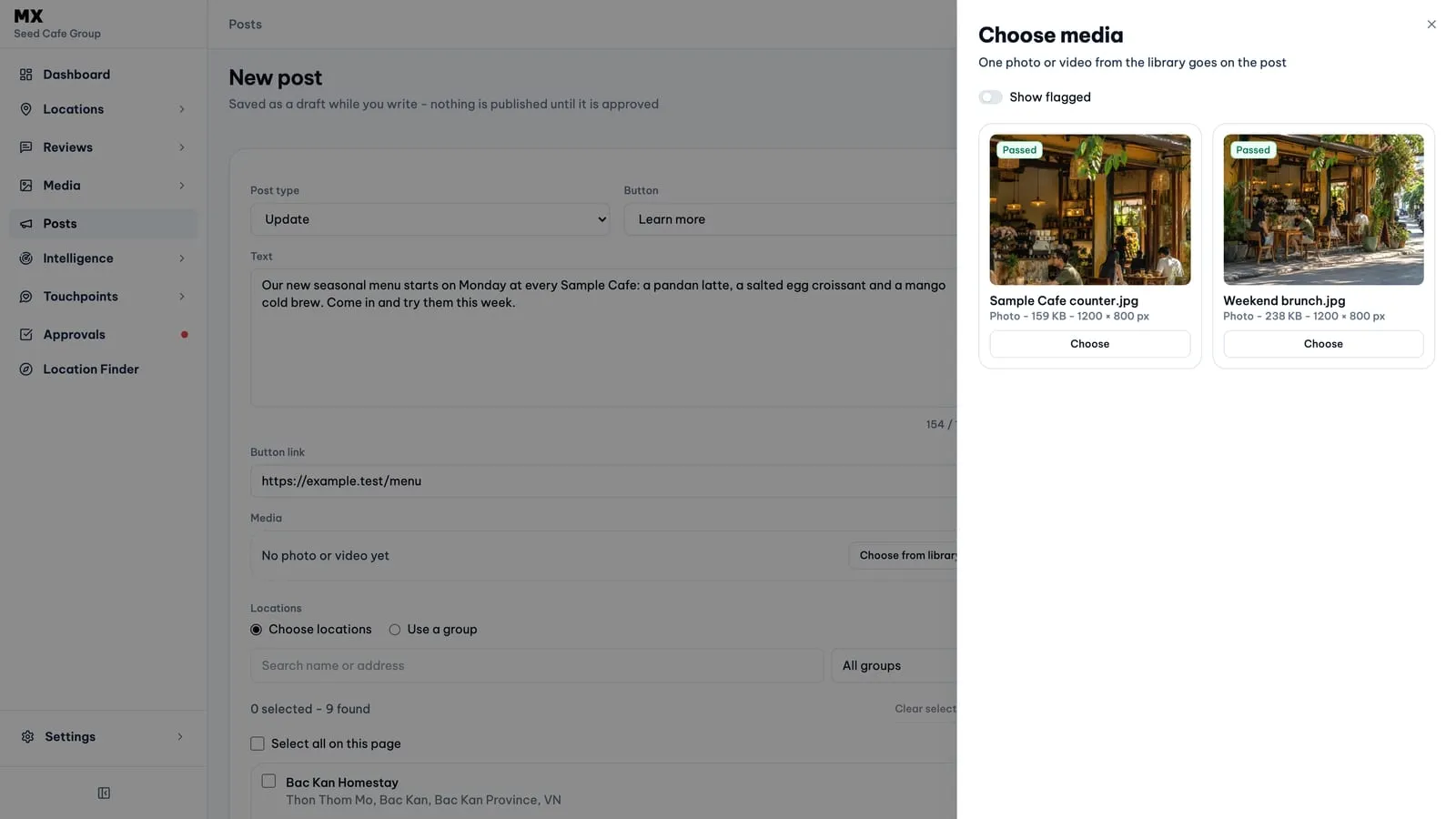
- Media from the library. Each post takes one photo or video from Media. The picker only offers files that meet Google’s rules for the post type and hides files flagged by the Media policy check unless you turn on Show flagged.
- Locations or a group. Tick locations in a searchable list or choose one location group. A group becomes its current locations when the post is sent.
- Publish now or later. Choose Publish now or Publish at a set time in the company timezone, up to a year ahead. A post can be cancelled until publishing starts.
- Approval first. Every post waits in Approvals, where an approver sees the whole post and its locations before choosing Approve post or Reject post. Posts are never approved automatically.
- A result per location. Each post lists every location as Published, Failed, On hold, In progress or Skipped, with a View on Google link once live. Retry failed locations tries again, up to three times per post.
- AI help. Draft with AI writes or rewrites the text within a monthly allowance. When you send a post, an AI policy check reviews it against Google’s content rules; a flagged post waits until someone chooses Allow and send to Approvals.
Who can use it
Posts is listed in the sidebar for every workspace. Writing, sending and approving posts needs the Pro or Business plan; on Free the page explains that Posts is a paid feature. Owners, admins and editors write, send, cancel and retry posts. Owners, admins and approvers approve or reject them in Approvals. Everyone else in the company can read posts and their results.
Current limits
- Google Business Profile is the only place MX publishes posts.
- Text is up to 1,500 characters. Updates and events need a photo or video; offers take a photo or none.
- A post that Google has published cannot be edited or deleted from MX.
- There are no recurring posts, templates or post performance figures.
- Publishing to Google is switched on company by company. Until it is on for yours, approved posts wait as On hold.