
UpdatePlatform
Dashboard - Overview and Performance pages, Spotlight and Health Check
The MX Dashboard now has an Overview of what needs doing and what stood out, and a Performance page that compares every location in one table
This post is available in English only
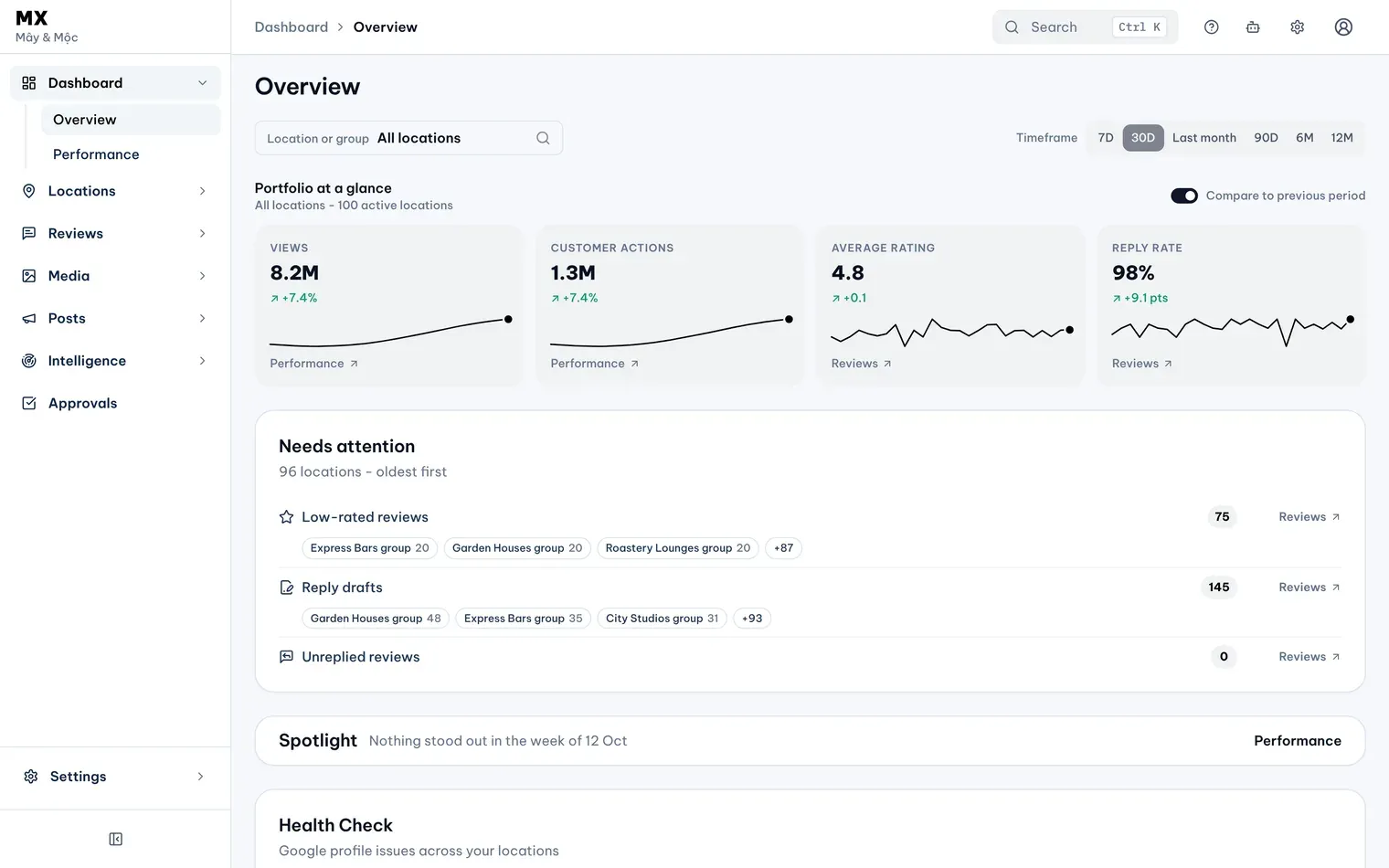
On 28 October 2026 the MX Dashboard became two pages. Overview shows how your locations are doing and what needs doing now; Performance follows trends and compares locations. Both work for all locations, one group or one location, and every number on them is calculated by rules, not AI.
New
- Spotlight. The locations and groups whose last complete week stood out against their previous eight weeks, up or down, in views, actions per 100 views, reviews received or average rating. Each row says what moved, such as “Reviews 18, usually 6”.
- Health Check. How many locations have no profile issues: a missing phone number, website, description, hours, Place ID or cover photo on Google, or MX and Google disagreeing. Each issue links to its fix; a check MX can’t complete reads “couldn’t be checked”, never “passed”. Google’s own tips to improve your local ranking say businesses with complete and accurate information are more likely to show up in local results.
- Not applicable and opportunities. An owner, admin or editor can mark a missing-information issue “Not applicable” for a location, and undo it. Health Check also lists locations with no post from MX in 30 days, and with no recent owner photo found in synced Google media.
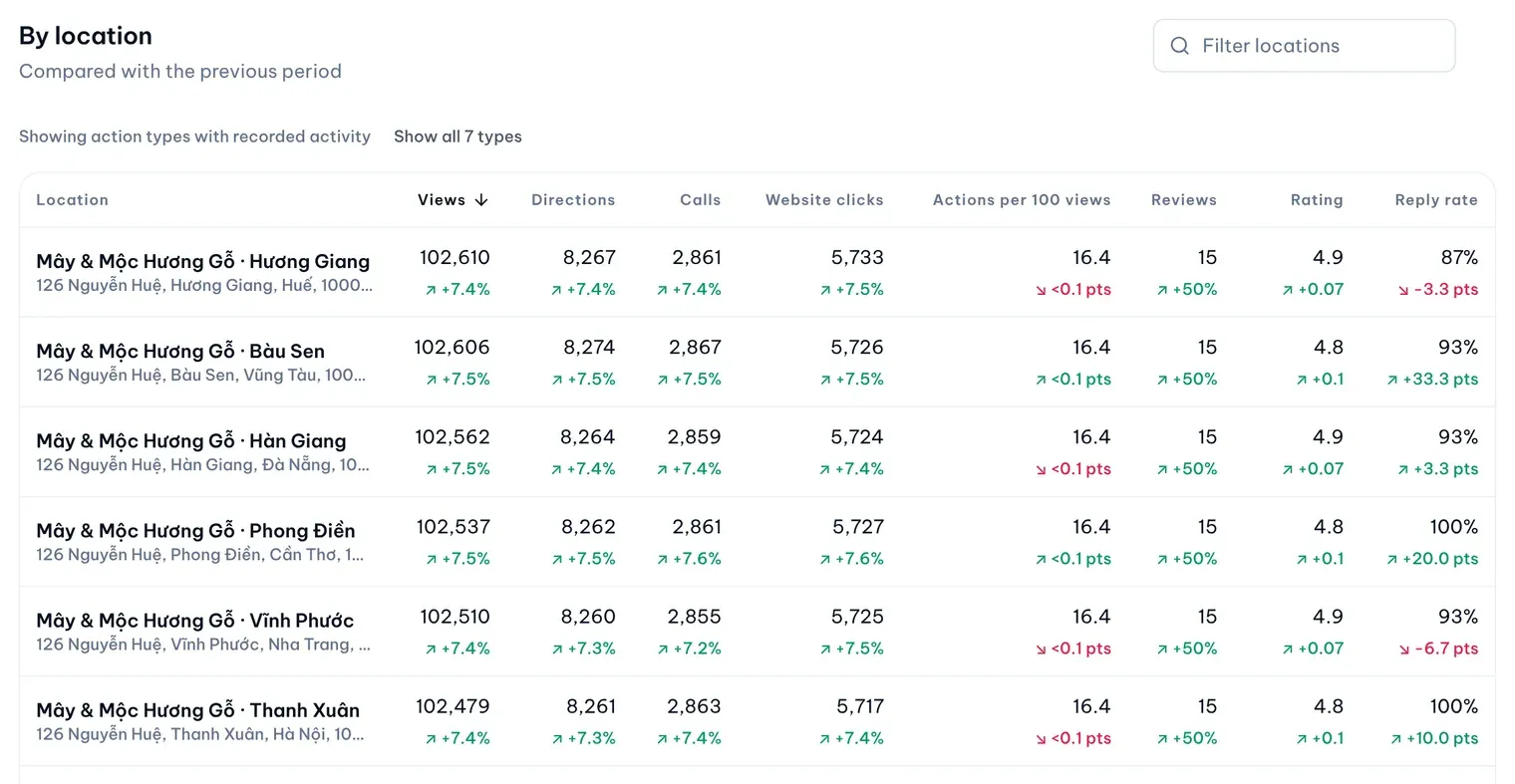
- A table by location. On Performance, By location shows views, each customer action type, actions per 100 views, reviews, rating and reply rate for each location, each with its change against the previous period. Filter, sort, or open a finished Monday-to-Sunday week against the week before.
- Seven customer action types. Directions, calls, website clicks, messages, bookings, food orders and food menu clicks. Types with no recorded activity are hidden until you choose Show all 7 types.
- Customer signals. What customers say, Experience drivers (the 7Ps), Top search keywords and Top action sit on the Overview, and month by month on Performance, each linking to the matching reviews.
- Honest data status. Each number says when its data is incomplete, for example while locations are still importing. A number MX can’t read shows “Unavailable”, never 0, and its change is hidden.
Improved
- Headline change figures. The Views, Customer actions, Average rating and Reply rate tiles show their change against the previous period of the same length, with rating and reply rate in points. Compare to previous period turns the changes off.
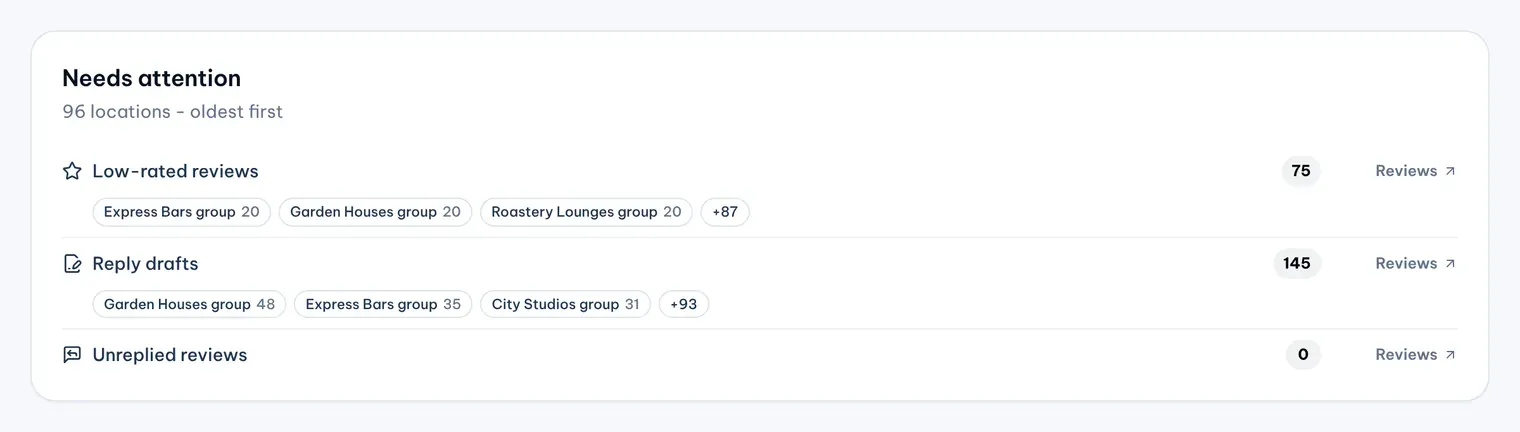
- Needs attention. Each item now names the locations and groups behind it, oldest first, and links to where the work is done: the Reviews Inbox with the right filter, Approvals, or the location editor. Approvals waiting says what the oldest batch holds back.
- Leaderboards and Biggest movers. Performance ranks the locations, or the groups, that changed most up and down by views, actions, reviews or rating.
- Customer feedback. Owners and admins see a Feedback rating tile from Touchpoints, with the private feedback count and resolution rate, and a Feedback rating column in the leaderboard.
Views come from Google, which counts them as unique visitors to the profile on Search and Maps, each at most once a day.
Who can use it
The Dashboard is on every plan and every role can read it. What customers say, Experience drivers and Top action need Pro or Business; search keywords show on every plan. The feedback tile and column show to owners and admins only. The fix Health Check offers depends on plan and role: Bulk Update on Business, otherwise the location page or Google Business Profile. A member limited to some locations sees only those.
Current limits
- There is no AI-written summary. Spotlight and Health Check say what changed, not why.
- Timeframes are presets; there are no custom date ranges.
- A week can be opened on Performance only once it is at least four days past, because of Google’s reporting delay.
- Spotlight shows up to three locations and three groups and does not follow the timeframe.
- Health Check does not check the logo, and “no post from MX” does not see posts made directly on Google.